
How to Get a Job in Tech With No Coding Experience (2026)

.webp)
You don't need to write a single line of code to build a career in tech. That's not motivational fluff. It's just how the industry actually works in 2026.
Tech companies need people who can talk to customers, manage projects, test products, write documentation, close deals, and keep systems running. Those jobs pay well, they're growing fast, and most of them don't require you to know the difference between Python and JavaScript.
"No coding" doesn't mean "no effort," though. You still need a plan, you still need to prove you can do the work, and you still need to know how to get in front of the right people. That's exactly what this guide covers: a practical, step-by-step system for going from "I don't have tech experience" to "I'm getting interviews," built around real roles, real proof-of-work, and a 30-day timeline you can start today.
We built this at AIApply because we've helped over a million job seekers navigate exactly this problem. We know what works. And we know what wastes your time.
What Tech Jobs Don't Require Coding in 2026
Before you start applying, you need to understand what you're walking into. The tech job market in 2026 looks different from even two years ago, and a few shifts matter a lot for non-coders.
Skills are changing faster than job titles. The World Economic Forum's Future of Jobs Report 2025 reports that nearly 40% of skills required on the job are expected to change, and a majority of employers cite the skills gap as a key barrier to transformation. That sounds scary, but it's actually good news for career changers: employers know they can't find perfect candidates, so they're increasingly hiring for learning ability and adaptable skills rather than checking off exact experience requirements.
Tech literacy is becoming non-optional, even for non-coding roles. The same WEF Future of Jobs report highlights AI and big data among the fastest-growing skills, alongside networks, cybersecurity, and technology literacy. You can absolutely avoid writing code. But you can't avoid understanding how tech teams work, how software gets built, and what AI can (and can't) do.
AI tools are blurring the line between "technical" and "non-technical." Even product managers without technical backgrounds are using AI coding tools to prototype and build more directly, which is reshaping expectations across teams. This doesn't mean everyone must code. It means teams reward people who can think clearly, test ideas, and ship outcomes, even if the "how" is AI-assisted.
Most guides skip this part: tech isn't just an industry. It's a way of operating.
You can work "in tech" in two very different ways:
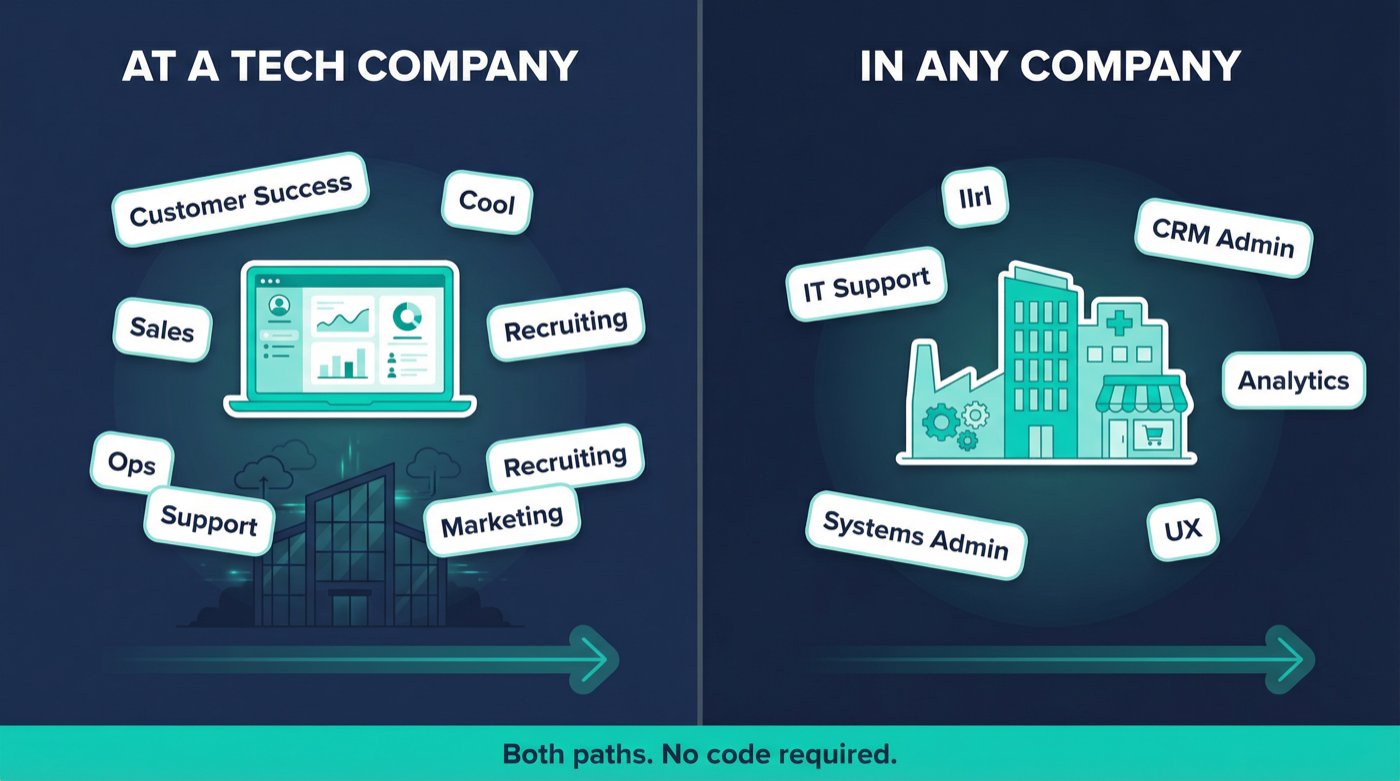
Your best entry point depends on what you're already good at. A former retail manager has different strengths than a recent English grad, and both can land tech roles. The key is matching your existing skills to the right lane. If you're coming in without any prior work experience, our guide on how to get hired fast in 2026 is a solid foundation to read alongside this one.
10 Tech Jobs You Can Get Without Coding
Most people fail at breaking into tech because they aim for the wrong target. They chase prestige instead of probability.
Pick the role where your existing strengths already cover at least 40% of the job, then build the missing 60% with proof-of-work. That single principle cuts through a lot of confusion.
Start with where you're already strong. Choose the role where your existing strengths already cover at least 40% of the job, then build the missing 60% with proof-of-work.
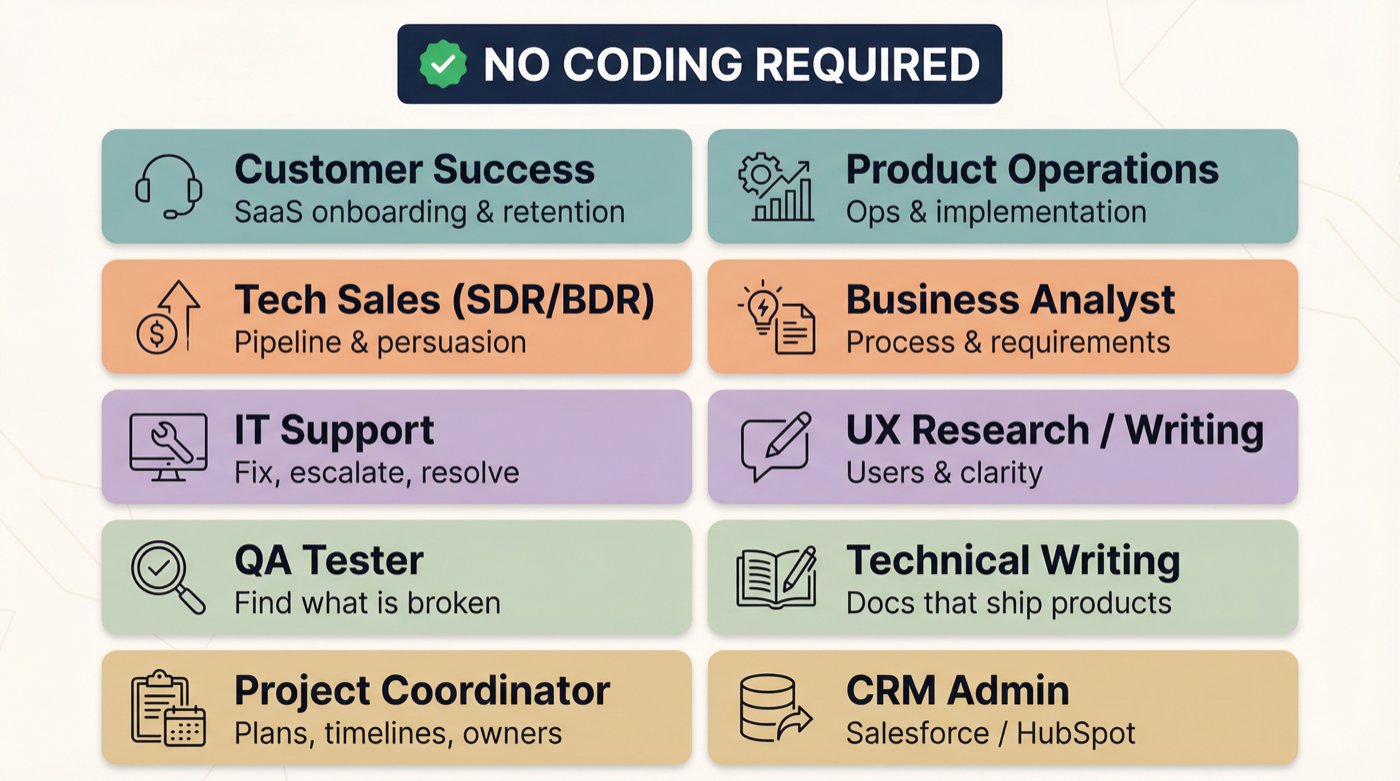
These 10 roles appear consistently across startups, scale-ups, and large companies. All of them are actively hiring in 2026:
Tech Sales (SDR/BDR, Account Executive track, Sales Engineering track)
QA Tester (Manual) / QA Analyst (entry-level)
Project Coordinator / Junior Project Manager / Delivery Coordinator
Product Operations / Operations Analyst / Implementation Specialist
Business Analyst (process + requirements focused)
UX Research (entry-level) / UX Writing / Content Design
CRM Admin (Salesforce/HubSpot) / RevOps Coordinator
Which Tech Role Fits You? (Quick Quiz)
Not sure which lane fits you? Pick the statement that feels most like you:
Now commit to one primary lane for 30 days. You can pivot later, but you can't build momentum while you're role-hopping.
12 Tech Concepts Every Non-Technical Candidate Should Know
This is the part people skip, and then wonder why their interviews go badly.
You don't need to build software. But you need a basic map of how software companies operate. When a hiring manager mentions "staging environment" or "API integration" and your face goes blank, they notice. And they start calculating risk.
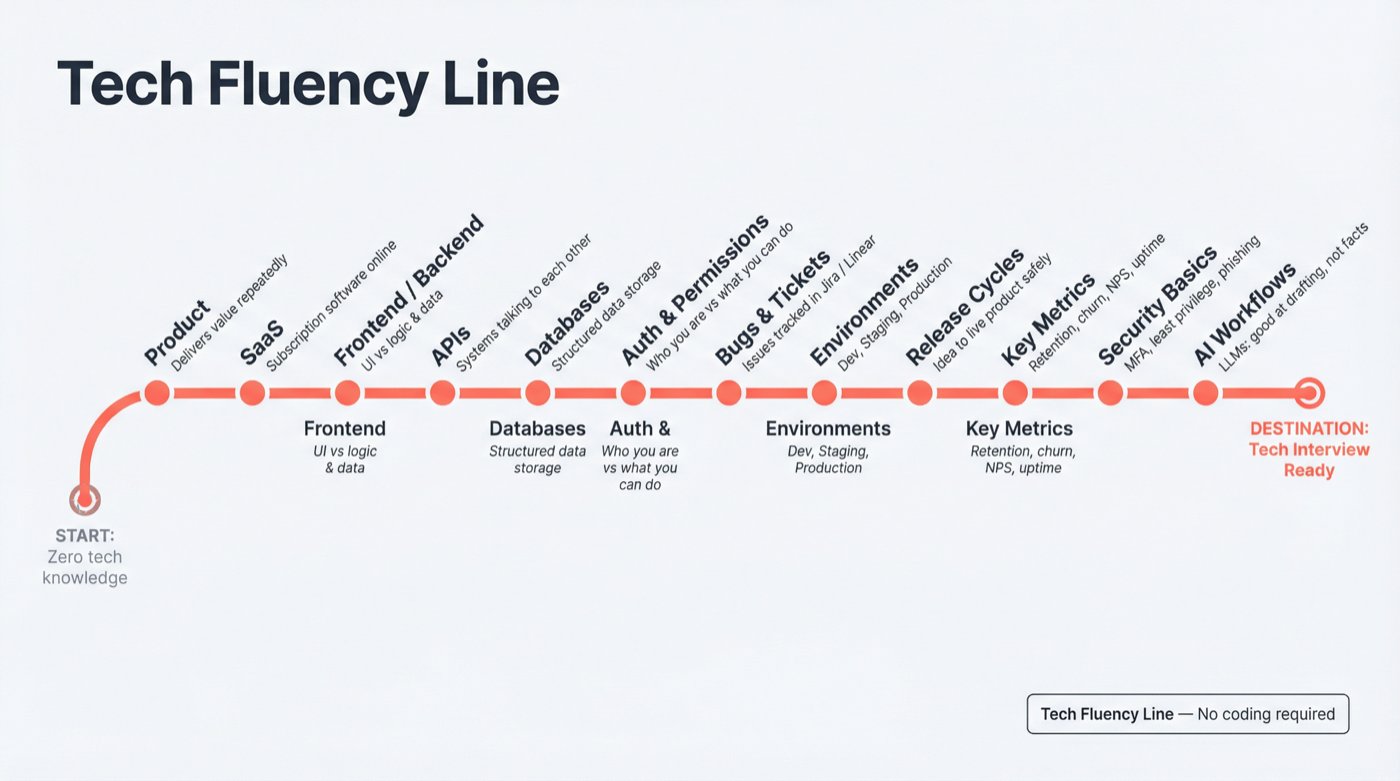
The 12 concepts below won't require you to write a single line of code:
① What a product is: a system that delivers value to a user repeatedly
② What SaaS means: software delivered over the internet, usually subscription-based
③ Frontend vs backend: the user interface (what you see) vs the logic and data behind it
④ APIs: how different software systems talk to each other
⑤ Databases: where structured information lives (think spreadsheets, but much more powerful)
⑥ Authentication vs authorization: logging in (who you are) vs permissions (what you're allowed to do)
⑦ Bugs and tickets: how issues get tracked using tools like Jira, Linear, or Zendesk
⑧ Environments: dev, staging, and production (and why "prod" is sacred)
⑨ Release cycles: how changes ship safely from idea to live product
⑩ Key metrics: activation, retention, churn, NPS, conversion, uptime
⑪ Security basics: least privilege, phishing, MFA, data handling
⑫ AI workflows: what LLMs are good at (drafting, summarizing, pattern recognition) vs what they're bad at (guaranteed correctness, confidential data)
The World Economic Forum explicitly calls out technology literacy and AI-related skills as rising in importance through 2030. You don't need depth here. You need fluency.
How to Learn Basic Tech Concepts Over a Weekend
Pick any SaaS product you already use (Notion, Slack, Canva, Trello, a banking app). Write a one-page explanation covering:
Who is the user?
What problem does it solve?
What is the core workflow?
What could go wrong?
What would you measure?
This exercise takes about two hours, and it doubles as portfolio material for your job applications. Keep it. You'll use it later. When you're ready to turn that material into a resume, our AI Resume Builder can help you structure it for ATS.
How to Build a Tech Portfolio With No Experience
The mindset shift that separates people who break into tech quickly from those who spend months "getting ready":
"Experience" is not years on the job. It's evidence you can do the work. Show that you did the work, explain the work, and measure the work, and you become hireable much faster than someone who only studied.
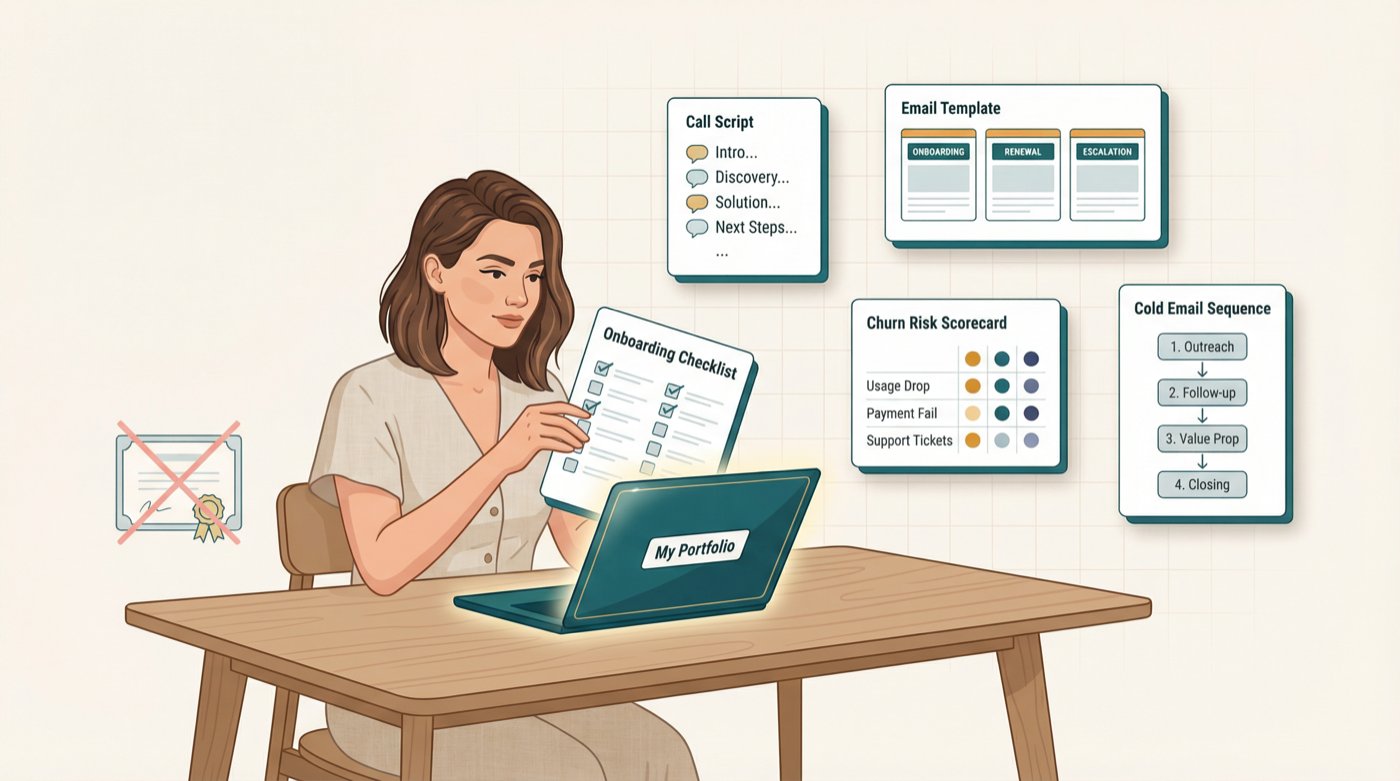
For your chosen lane, create one to two artifacts that look like real work output from that job. Not a course certificate. A work product.
Below are plug-and-play templates for each role. Pick yours and ship it in 7 to 10 days.
How to Build a Customer Success Portfolio With No Experience
Build three things that a CS Manager would actually recognize as real work:
A 2-page onboarding checklist for a SaaS product
A churn risk scorecard
3 email templates (onboarding, renewal, escalation)
How to build it fast: Pick a SaaS with a free trial. Go through onboarding yourself and screenshot key steps. Write the checklist as if you're training a new customer. Define 5 churn signals (low usage, unanswered emails, missed setup steps). Draft your templates.
What it proves: empathy, structured thinking, communication, product understanding.
See how others have structured their Customer Success resumes with our Customer Success Manager resume examples, and explore cover letter examples for Customer Success Managers to see how strong candidates frame their application.
Want to understand what companies actually look for and what the role pays? Check the Customer Success Manager career page and the Customer Success Manager salary guide.
How to Break Into Tech Sales Without a Sales Background
How to build it: Pick an industry niche (dentists, logistics, fitness studios, indie ecommerce). Pick a SaaS that sells into that niche. Research why the niche buys, what triggers purchasing, and what objections come up. Build your outbound emails around that research.
What it proves: prospecting ability, messaging skill, business value thinking.
See Sales Development Representative resume examples and Account Executive resume examples for formatting ideas.
Our cover letter examples for Sales Development Representatives show how to position yourself when entering sales without a track record. And if you're wondering what SDR/BDR roles actually pay, the Sales Development Representative salary guide gives you honest numbers by experience level.
How to Build an IT Support Portfolio That Gets You Hired
This is the clearest way to prove you can do the job before you have the job. A knowledge base and troubleshooting decision tree tell a hiring manager exactly one thing: you've already thought like an IT technician.
Three deliverables that show technical credibility without writing code:
→ A mini knowledge base: "Top 15 tickets and resolutions"
→ A troubleshooting decision tree: for 3 common issues (printer, Wi-Fi, Outlook login)
→ A sample escalation note: clear, professional, and structured for a non-technical audience
How to build it: Use common IT issues: printer not working, Wi-Fi drops, Outlook login failures, VPN connectivity. Write step-by-step resolutions and "when to escalate" criteria. Keep it clean, structured, and jargon-free for end users.
CompTIA describes A+ as foundational for IT support roles, covering hardware, troubleshooting, and operational procedures. Your portfolio should reflect those same foundations.
Check out our IT Support Specialist resume examples for formatting ideas, and see cover letter examples for IT Support Specialists to see how candidates position themselves for help desk and desktop support roles.
The IT Support Specialist career page shows what skills employers are actively looking for. Benchmark your expected earnings using our IT Support Specialist salary guide.

How to Build a QA Testing Portfolio With No Experience
This is one of the most underrated entry points into tech. Companies always need people who can systematically find what's broken. If you're naturally detail-oriented and a little obsessive about things working correctly, QA might be your fastest path in.
How to build it: Pick a web app with a clear workflow (signup, checkout, booking). Define "what good looks like." Then try to break it systematically. Document everything.
What it proves: attention to detail, structured thinking, communication with engineering teams.
See our QA Tester resume examples for how to present this on your resume, and browse cover letter examples for QA Testers to learn how to frame your proof-of-work in applications.
Explore the QA Tester career page to understand what companies are looking for, and check the QA Analyst salary guide to set realistic earning expectations.
How to Build a Project Coordinator Portfolio From Scratch
How to build it: Pick a simple feature, like "Add live chat to a SaaS website." Break it into tasks: requirements gathering, tool selection, testing, rollout. Identify 5 risks and mitigations for each. Write one status update as if the project were in week 2.
Browse our Project Coordinator resume examples to see how others present this type of work. Our cover letter examples for Project Coordinators show how to lead with your organizational strengths.
The Project Coordinator career page highlights what hiring managers look for in entry-level candidates, and the Project Manager salary guide gives you a sense of where your earning potential grows as you advance.
How to Build a Business Analyst Portfolio With No Tech Background
A BA's job is turning ambiguous problems into clear, buildable specifications. This portfolio shows you can do that:
A one-page PRD-lite (product requirements document)
User stories with acceptance criteria
A process map showing current vs future workflow
How to build it: Pick a workflow you know well (expense approvals, appointment scheduling, product returns). Document the current process. Identify pain points. Rewrite it as a system with clear requirements.
Explore Business Analyst resume examples to see how other BAs present similar work. Our cover letter examples for Business Analysts show how to frame process improvement experience from outside tech.
The Business Analyst career page outlines what qualifications employers actually care about, and the Business Analyst salary guide gives you real pay ranges to negotiate from.
How to Build a Technical Writing Portfolio From Scratch
The goal here is simple: take something confusing and make it clear. Pick a product with messy documentation and rewrite one section cleanly. Focus on clarity, scannability, and helping someone solve a problem in under 3 minutes.
Three pieces that show you can do this:
One "Getting Started" guide
One troubleshooting guide
One API concept explainer (no code, just concepts)
What it proves: analytical thinking, precision in language, empathy for non-expert readers.
Our Technical Writer resume examples show how to highlight documentation skills effectively, and cover letter examples for Technical Writers demonstrate how to position writing-efficient work for tech employers.
Check the Technical Writer career page to see what specific skills are in demand, and the Technical Writer salary guide to understand your market rate.
How to Build a CRM Admin Portfolio Using Free Tools
How to build it: Use HubSpot's free CRM (or Salesforce's Trailhead sandbox). Design a pipeline for a fictional B2B company. Define what makes a lead "hot" vs "cold." Create 3 automation rules and explain the business logic behind each.
Salesforce admin certification exams are priced at $200 with a $100 retake fee. If CRM admin is your lane, that cert carries serious weight.
Our CRM Administrator resume examples and cover letter examples for CRM Administrators show you how to position this work.
The CRM Administrator career page details what Salesforce and HubSpot skills employers focus on, and the CRM Administrator salary guide helps you understand what this role pays at different experience levels.
How to Write a Resume That Gets Tech Callbacks
Your proof-of-work means nothing if your resume buries it under vague bullet points.
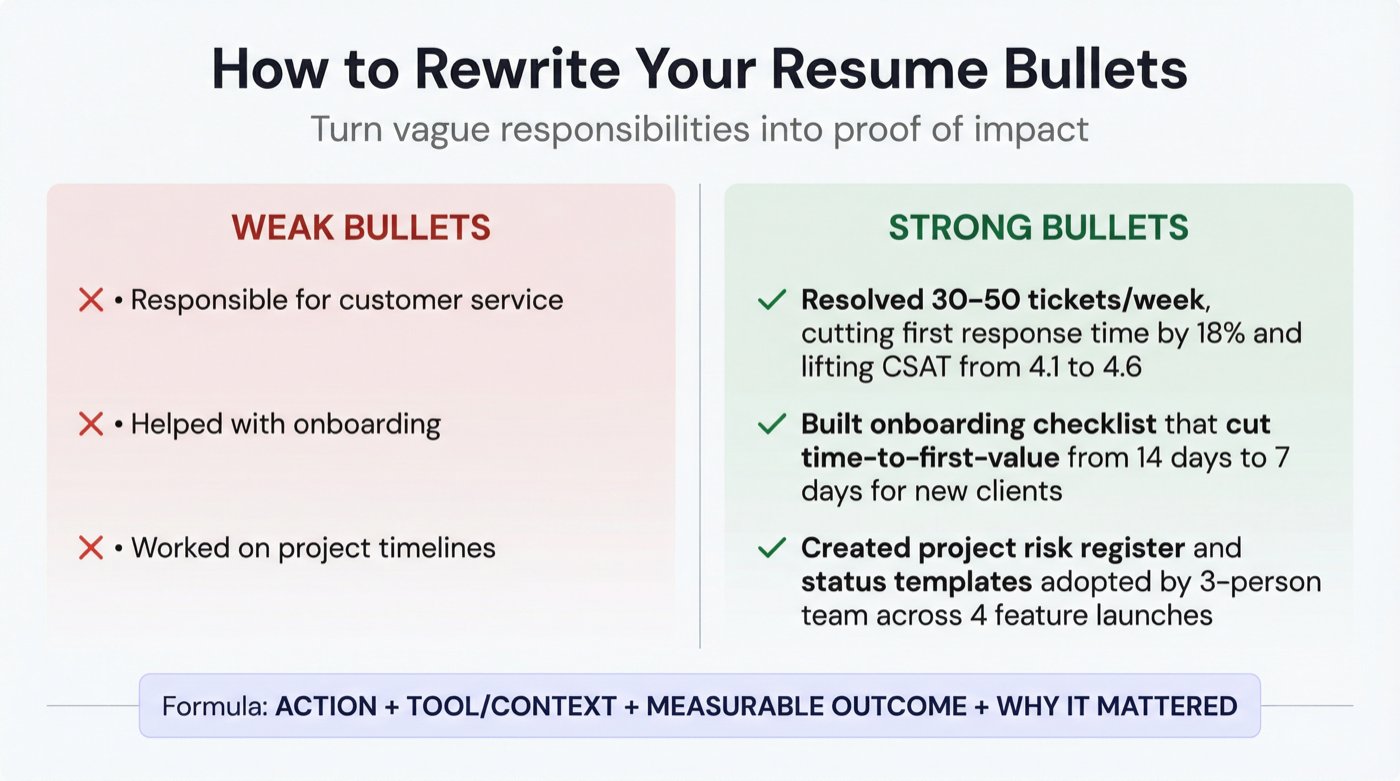
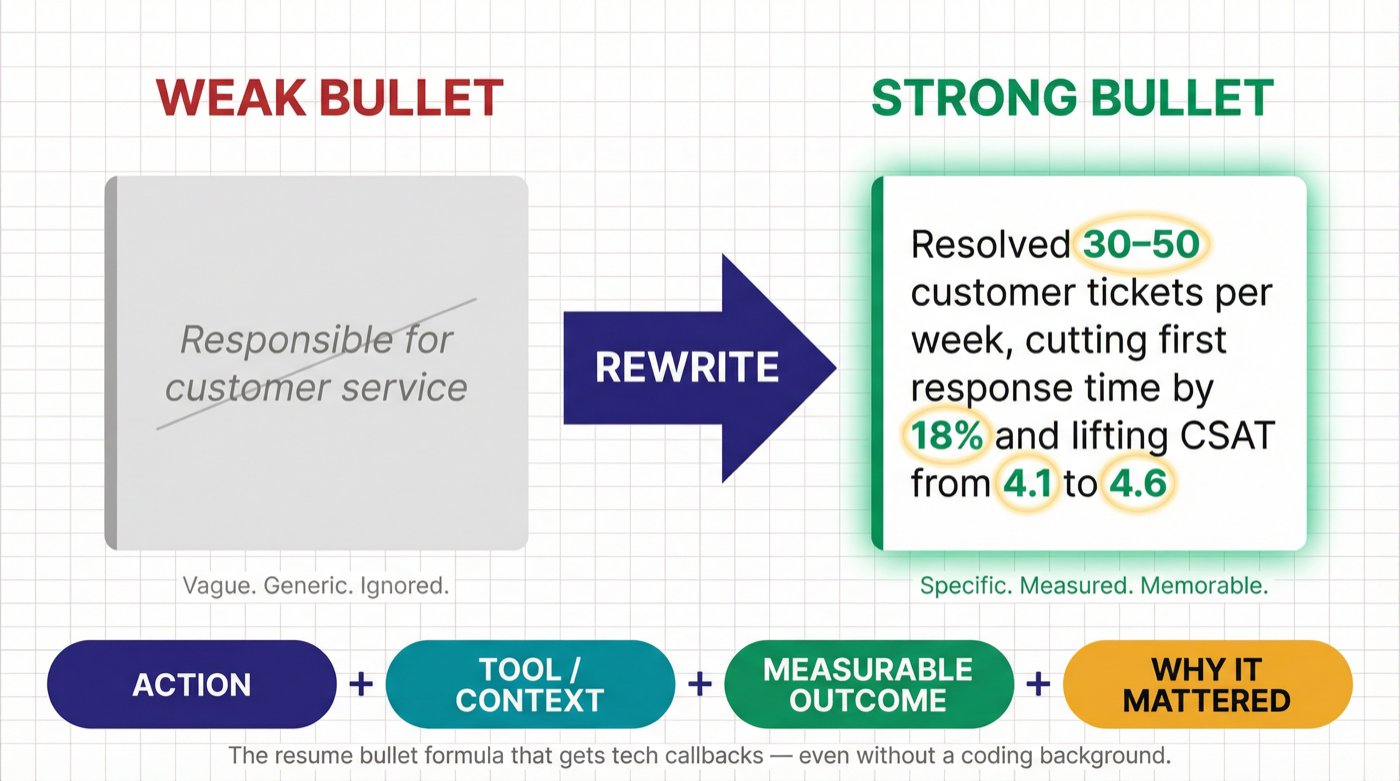
If your resume says "Responsible for customer service," that's not a signal. It's fog. Every candidate says that. Recruiters skim hundreds of resumes per day, and they're looking for concrete evidence, not job descriptions.
How to Write Strong Resume Bullets With No Tech Background
Action + tool/context + measurable outcome + why it mattered
Strong resume bullets actually look like this (no coding required):
"Resolved 30 to 50 customer tickets per week, reducing average first response time by 18% and improving CSAT from 4.1 to 4.6"
"Built onboarding checklist and templates that reduced time-to-first-value from 14 days to 7 days for new clients"
"Audited sales pipeline hygiene and created follow-up rules that improved meeting show rate by 12%"
"Created test cases for checkout flow; identified 9 critical bugs before release"
Notice the pattern: every bullet tells a story of impact. Numbers. Percentages. Time saved. Bugs caught. That's what makes a recruiter pause and keep reading.
Once you've rewritten your bullets, run your resume through our Resume Scanner to catch missing keywords and formatting issues before ATS rejects you. The scanner checks against 50+ ATS systems and gives you specific recommendations on what to fix. You can also use our AI Resume Checker for a free comprehensive review of your resume's content, structure, and layout.
If you need to build a resume from scratch, our AI Resume Builder generates ATS-friendly resumes with Harvard-inspired templates that match job descriptions automatically. Browse our resume examples hub for role-specific formatting inspiration.
How to Organize Your Job Search to Get More Interviews
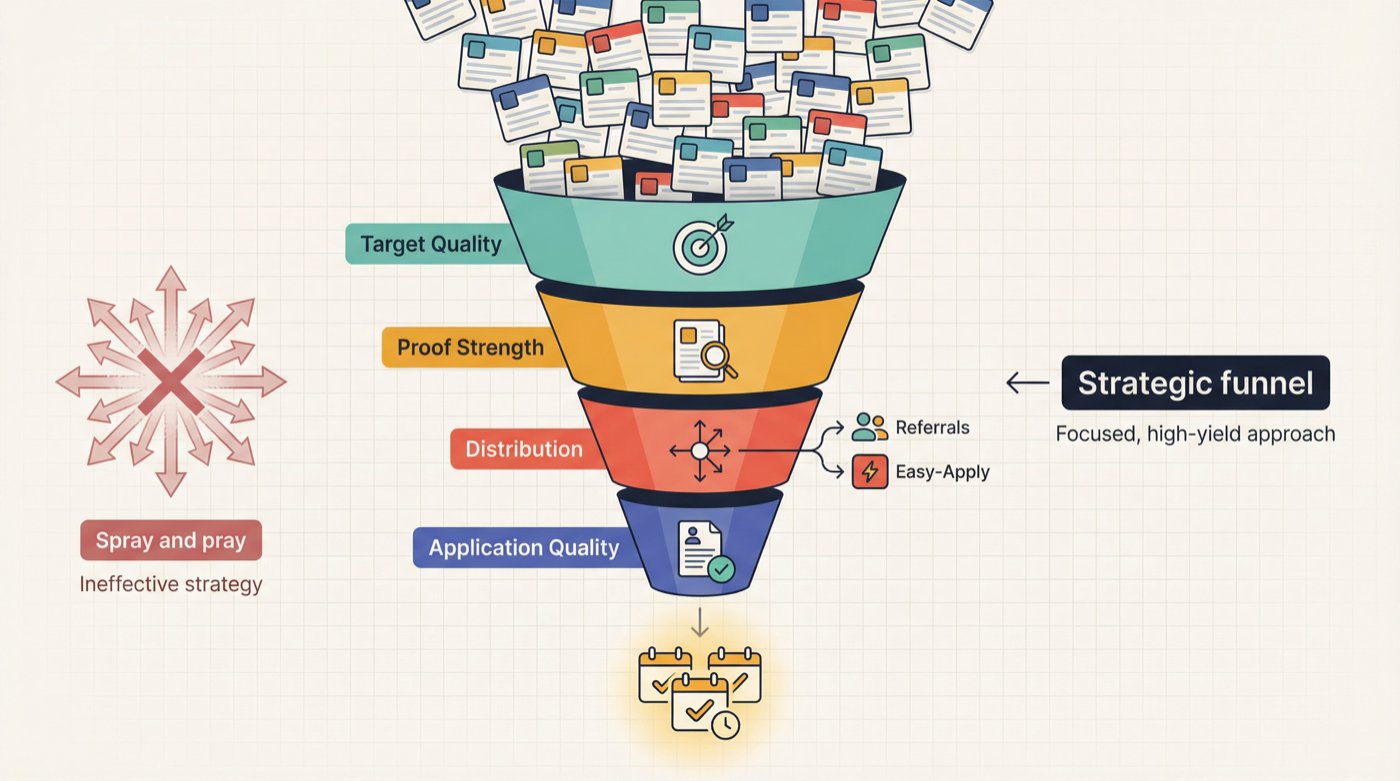
Most job seekers treat their search like a lottery: apply, hope, repeat. That doesn't work. It just burns you out.
Think of your job search as a funnel instead. You need enough volume to generate outcomes, but enough quality to avoid wasting time. A job search tracker helps you stay on top of both.
You control four levers:
Target quality: Are you applying for jobs you're actually qualified for?
Proof strength: Does your portfolio and story make a convincing case?
Distribution: Are you using referrals and direct outreach, or just clicking "Easy Apply"?
Application quality: Are you tailoring keywords, customizing your cover letter, and being specific?
The 25-Company Target List: Your Job Search Foundation
This is the single most effective organizational approach for a job search. Build a list of 25 companies you'd genuinely work for. For each one, track:
2 to 3 target roles (specific job titles)
1 recruiter
1 hiring manager or team lead
1 recent post, product detail, or news item you can reference
This list makes everything else easier: networking becomes targeted, outreach becomes personalized, and you stop wasting time on companies you don't care about. Our job search strategy guide goes deeper on how to organize and execute this kind of systematic search.
How to Apply for Tech Jobs and Actually Hear Back
You want to look like someone who already does the job, not someone desperately blasting applications.
What to Include in Every Tech Job Application
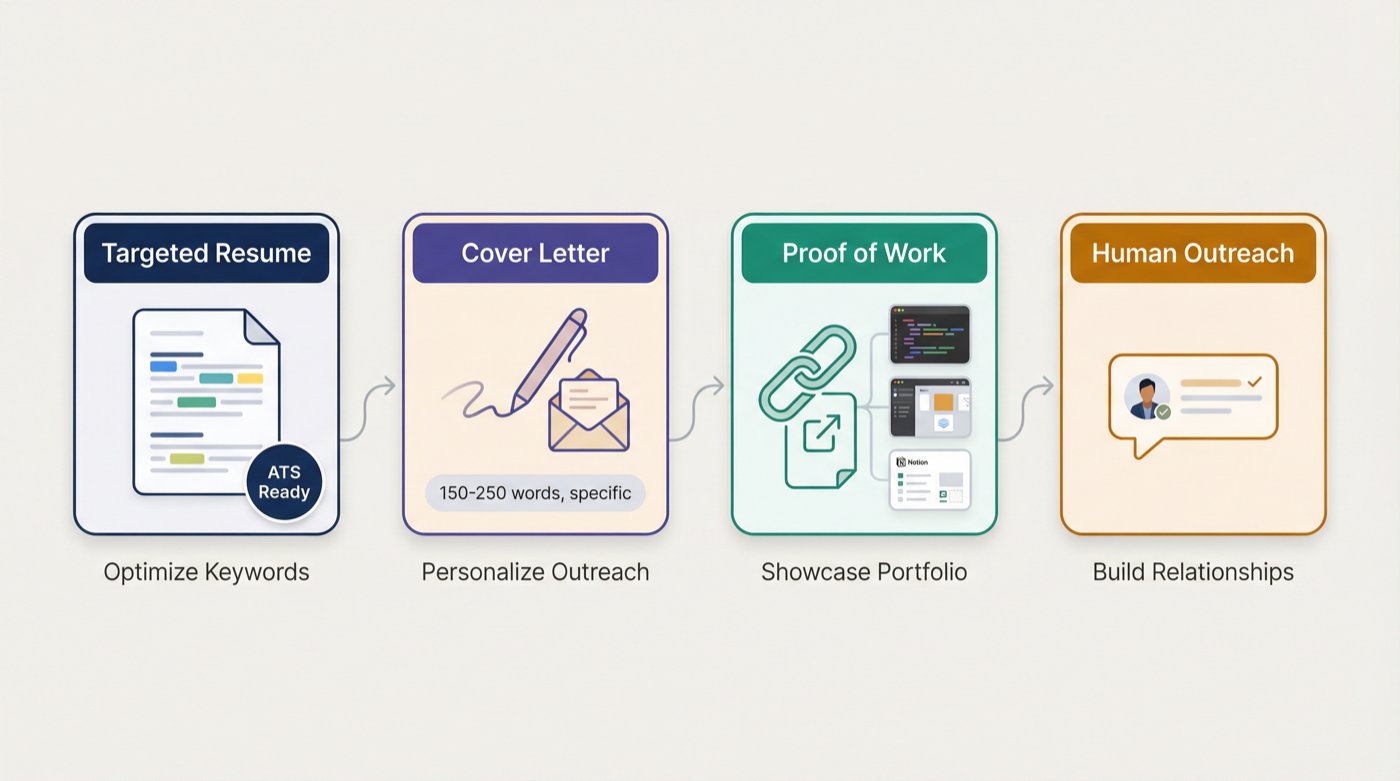
For each job you apply to, submit these four things:
Role-targeted resume (keywords matched to the JD + your proof-of-work)
Short cover letter (not generic. 150 to 250 words, specific to that role)
Proof-of-work link (Google Doc, Notion page, or PDF portfolio)
Short outreach message to a human (LinkedIn or email)
LinkedIn Outreach Messages That Actually Get Responses
To a recruiter:
"Hey [Name], I applied for [Role]. I'm targeting [lane] roles and built a short [artifact] that mirrors the work. If helpful, I can share it. Is this role still actively hiring, and what matters most for shortlisting?"
To a hiring manager:
"Hi [Name], I'm applying for [Role]. I created a [artifact] based on your product and the JD, especially around [specific requirement]. If you're open to it, I'd love feedback on whether this matches what your team needs."
How to Use AI Tools to Speed Up Your Job Search
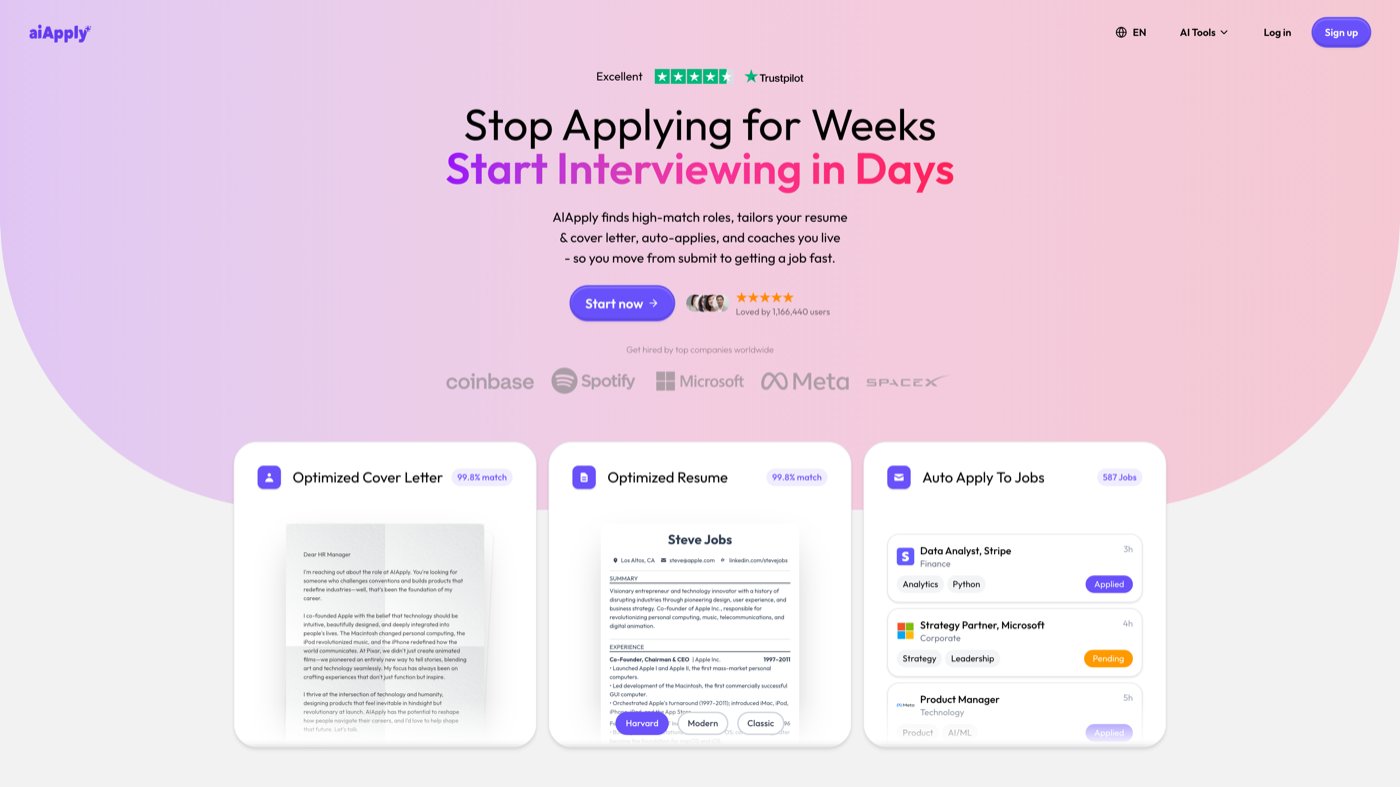
Doing all of this manually is doable but slow. We built AIApply to compress the repetitive parts so you can spend your time where humans still win: building proof-of-work, networking, and interviewing.
A practical workflow using our tools:
Find roles fast. Our Job Board aggregates over a million open positions and matches them to your skills. Instead of searching five different sites, you search one.
Tailor your resume and cover letter for each job. Use our Resume Builder and Cover Letter Generator to match keywords and responsibilities to each posting without turning your writing into robotic junk. Everything is editable before you send it.
Check ATS gaps before you hit submit. Run your resume through our Resume Scanner to catch missing keywords and formatting issues before the ATS auto-rejects you.
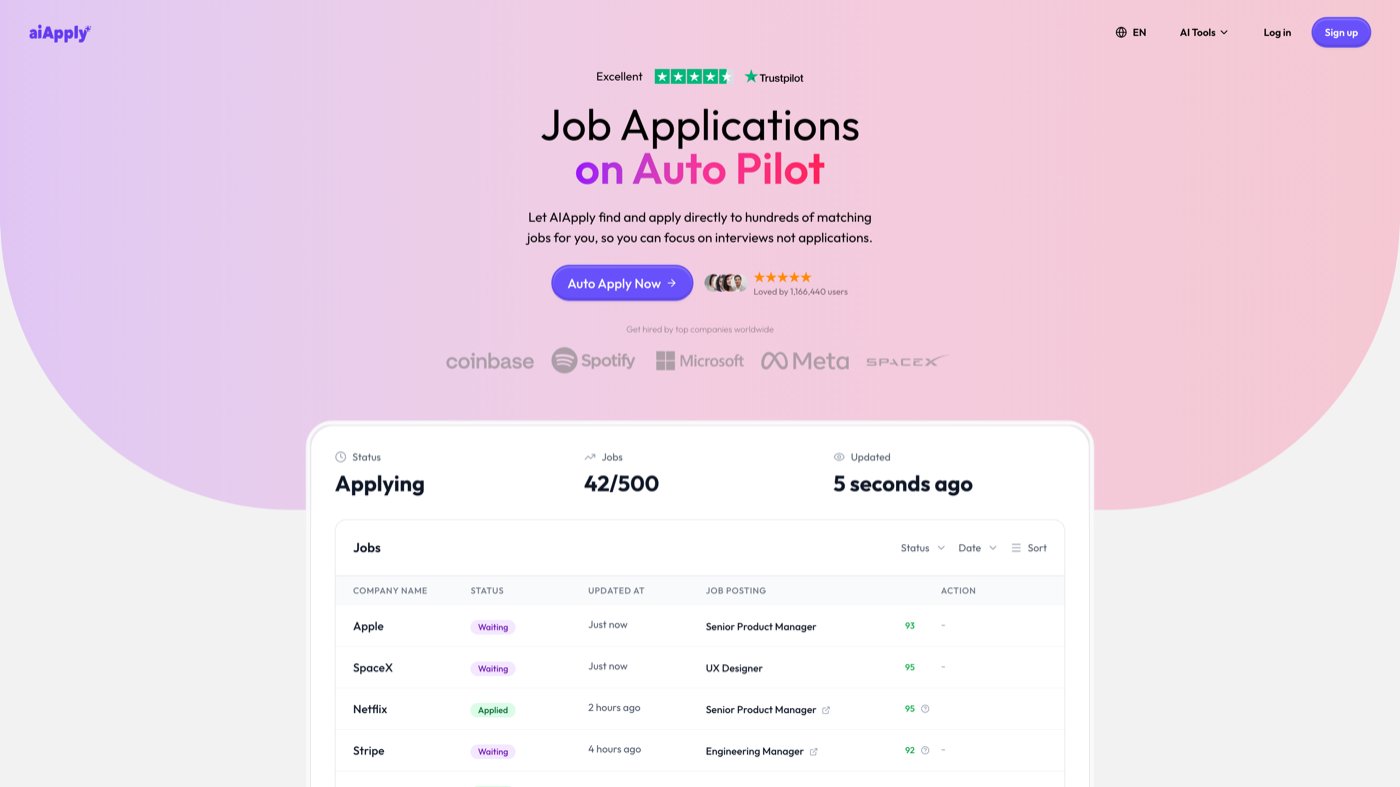
Apply at volume without sacrificing quality. Our Auto Apply feature can submit up to 500 tailored applications per month. Each one gets a customized resume and cover letter. You review the matches and let the system handle the repetitive clicks.
Prep and practice with real job descriptions. Our Mock Interview Simulator lets you paste a JD and practice with AI-generated questions. You get instant feedback on your answers, so you walk into real interviews already sharp.
How to Ace Tech Interviews Without a Technical Background
Non-coding tech interviews usually test four things:
Can you communicate clearly under pressure?
Can you reason from first principles?
Can you handle messy, real-world tradeoffs?
Can you learn quickly and self-correct?
If you can demonstrate all four, you'll outperform plenty of candidates with fancier resumes.
How to Prepare STAR Stories for Tech Interviews
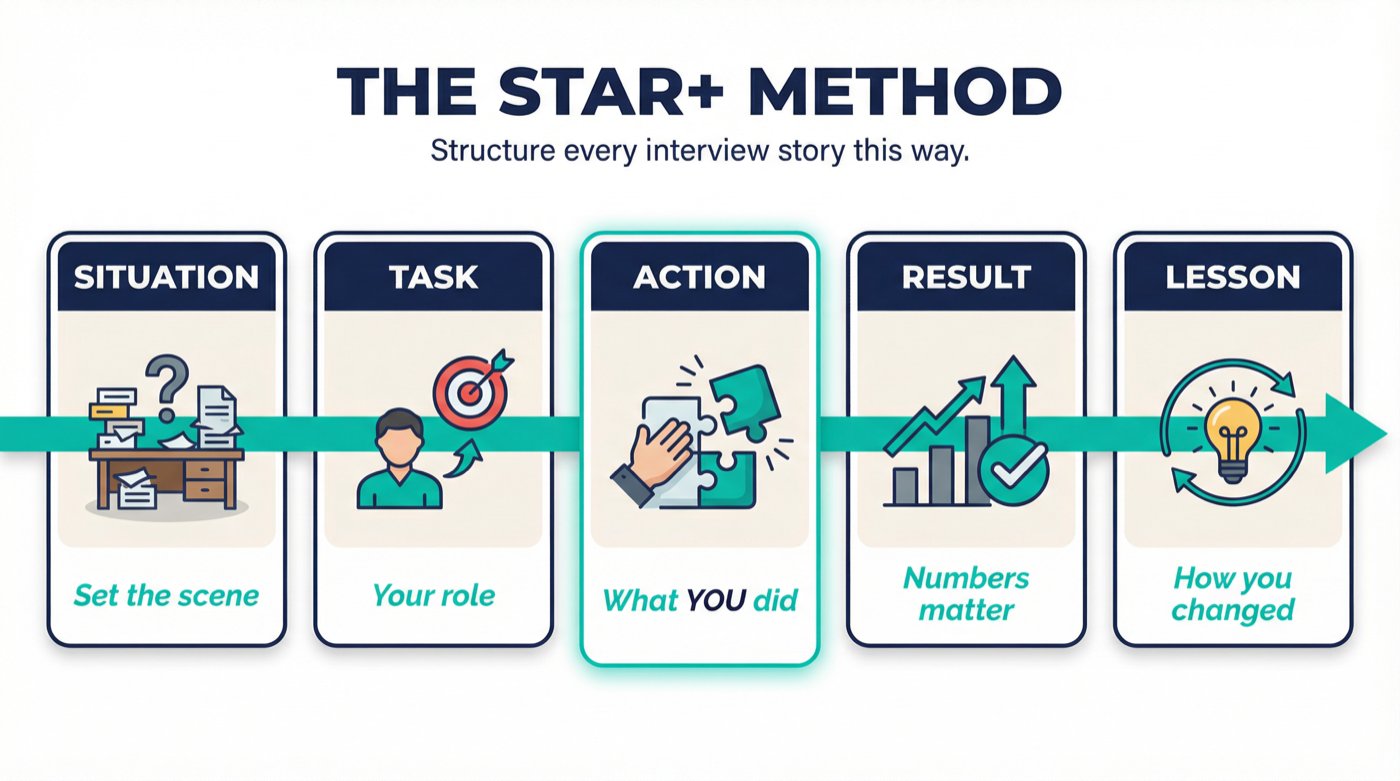
Prepare 6 stories, each structured as Situation, Task, Action, Result (plus a Lesson about how you changed your approach going forward):
The key is specificity. "I helped improve customer satisfaction" is weak. "I redesigned the onboarding checklist for our top-tier accounts, which cut time-to-first-value from 14 days to 7 and improved NPS by 12 points" is the kind of answer that gets you hired.
Common Tech Interview Questions by Role
Practice answering these out loud (not just in your head):
Customer Success: "A customer wants to cancel. Walk me through what you do."
IT Support: "A user can't log in. How do you troubleshoot?"
QA: "How do you decide severity vs priority for a bug?"
Project Coordinator: "Your timeline just slipped by two weeks. What do you do Monday morning?"
Business Analyst: "Two stakeholders disagree on requirements. How do you align them?"
Tech Sales: "Tell me about a time you got a 'no' and recovered."
How to Practice for Tech Interviews Using AI Tools
Our Mock Interview Simulator generates tailored questions based on actual job descriptions. You can run through a complete mock interview in 15 to 30 minutes and get instant AI feedback on your answers.
And when the real interview comes, our Interview Buddy works in-browser for Zoom, Google Meet, and Teams to provide real-time prompts during live interviews. It's designed to support recall and structure, not to generate a script. Use it responsibly as backup for nerves, not as a substitute for preparation. Never use it to invent experience you don't have.
The 30-Day Plan to Break Into Tech With No Experience
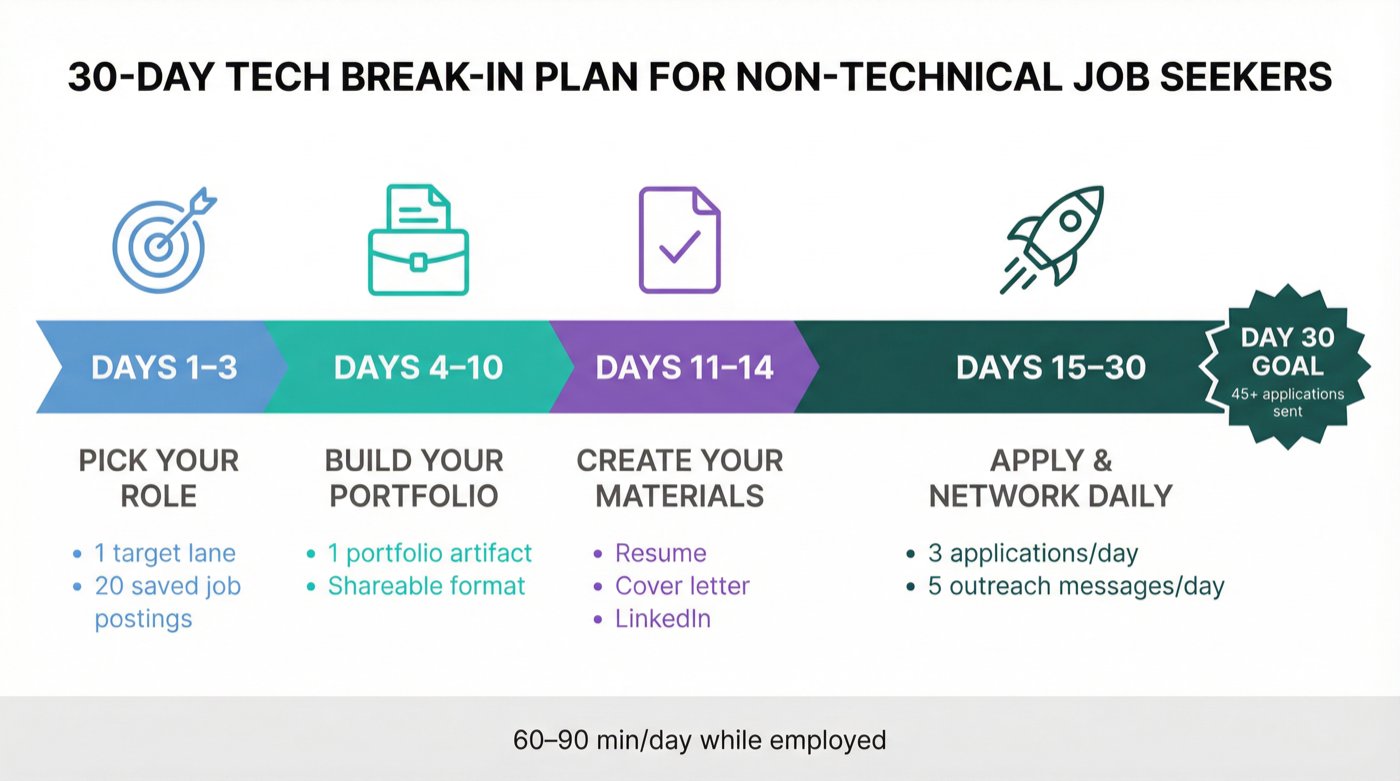
You can do this while employed, with 60 to 90 minutes per day. This isn't a "quit your job and study for six months" plan. It's a focused sprint.
Days 1 to 3: Picking Your Target Role
The only goal here is clarity. By day 3, you should know exactly what role you're targeting and what employers want to see.
Pick 1 role lane from the list above
Pick 8 to 12 real job titles (pulled directly from job boards)
Save 20 job postings and highlight the recurring requirements
Days 4 to 10: Building Your Portfolio
Ship 1 artifact from the templates above
Put it in a clean, shareable format (Google Doc, Notion, or PDF)
Ask 2 people for honest feedback (ideally someone in that role)
Days 11 to 14: Creating Your Application Materials
① Master resume: built with our Resume Builder or from scratch
② Role-tailored resume variant: one version customized for your target lane
③ Cover letter template: personalized per company using our Cover Letter Generator
④ LinkedIn headline: rewritten to match your target lane
Days 15 to 30: Applying and Networking Daily
Daily targets:
3 tailored applications
5 outreach messages (LinkedIn or email)
1 conversation booked per week (coffee chat, recruiter call, informational interview)
By day 30, you should have submitted 45+ tailored applications, sent 75+ outreach messages, and had at least 2 real conversations with people at target companies. That's how "no experience" starts turning into interviews.
For more strategy on finding roles that don't require experience, check out our guide on how to get hired fast. And if you're looking for more structured search tactics, our guide to finding jobs quickly covers how to filter real opportunities and move efficiently through the application process.
Best Certifications for Non-Technical Tech Jobs in 2026
Certifications aren't magic. They're a signal. Sometimes they carry real weight with recruiters; sometimes they're just expensive procrastination.
When Getting a Tech Certification Is Actually Worth It
The role is a credentialed lane (cloud fundamentals, CRM admin, IT support)
Job postings repeatedly list it as required or preferred
It shortens the trust gap faster than proof-of-work alone
When You Should Skip the Certification (And Apply Instead)
Your proof-of-work already demonstrates the skill
You're using it to avoid applying ("I'm not ready yet")
The role rarely asks for it in actual job postings

Best Tech Certifications for Beginners (With 2026 Prices)
Pricing varies by region, currency, and available discounts. Always verify current pricing directly on certification provider websites before committing.
4 Mistakes That Keep You From Getting a Tech Job

Trap 1: Waiting Until You Feel Ready to Apply
You get ready by applying. Early applications teach you what the market actually wants, how your resume lands, and what interview questions come up. Waiting for perfection is just procrastination wearing a productive disguise.
Trap 2: Targeting the Wrong Entry-Level Role
Product Manager isn't an entry-level role at most companies, even if the internet says otherwise. If you're starting from zero, a better entry point is Product Ops, Support, QA, or Implementation. You can always move toward PM later, with actual context and credibility behind you.
The roles with the most entry-level openings are Customer Success, IT Support, and QA. They're not glamorous starting points, but they're real ones.
Trap 3: Assuming No Coding Means No Skill Building
You're not avoiding skill building. You're choosing skills with a different shape: communication, analysis, tools, systems thinking. These are real, valuable skills. But they still require deliberate effort. Understanding what skills each tech role demands helps you focus your learning on what hiring managers actually want.
Trap 4: Building a Generic Portfolio That Doesn't Match the Job
Your portfolio must match the job you're targeting. A generic "case study" that could apply to any role is weaker than one targeted artifact that directly mirrors the job description. Specificity wins.
Common Questions About Getting Into Tech Without Coding
Can I really get a tech job with absolutely no coding skills?
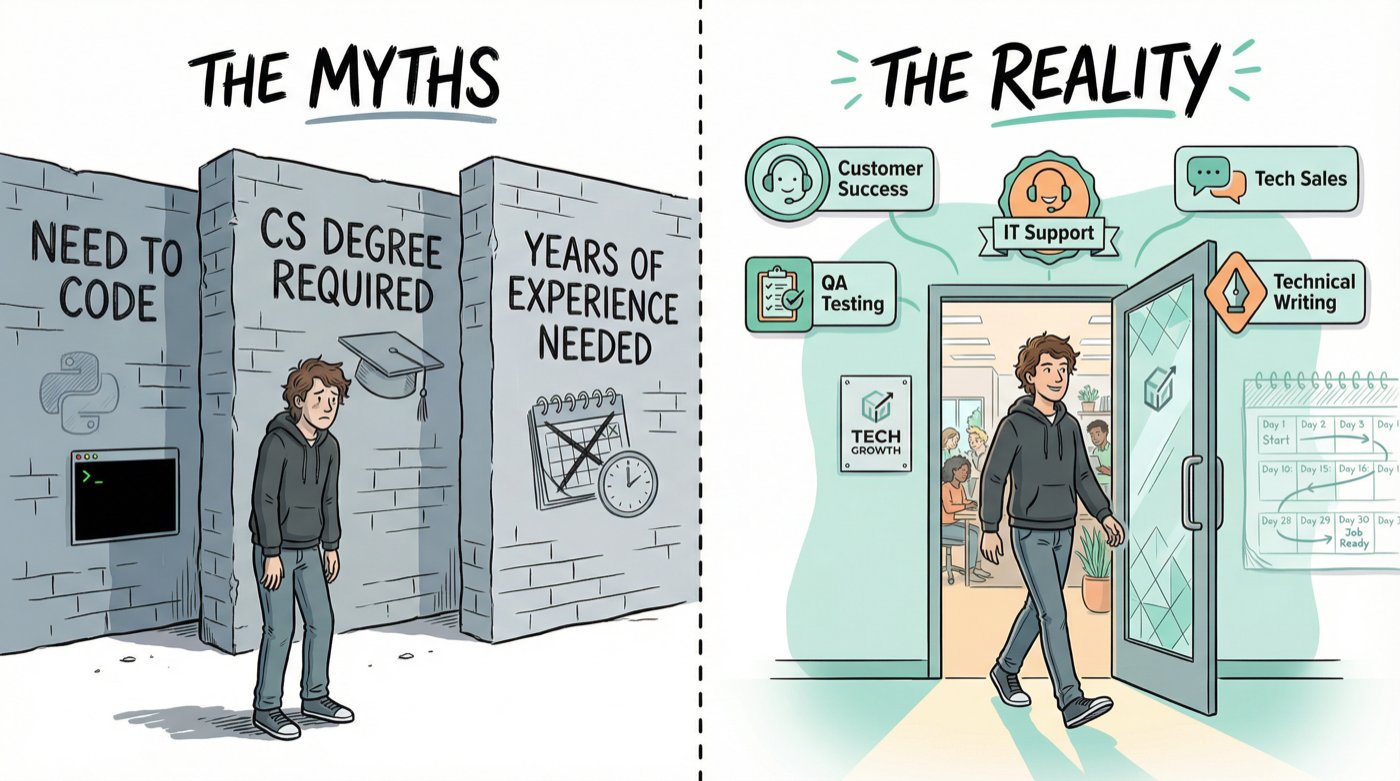
Yes. Thousands of people do it every year. Roles like Customer Success, Tech Sales, QA Testing, IT Support, and Technical Writing don't require coding. They require communication, structured thinking, and the ability to learn tools quickly. The key is choosing the right role and proving you can do it through concrete work samples.
What's the fastest path into tech for someone with no experience?
IT Support and Customer Success tend to have the shortest time-to-hire because they have high volume, clear skill requirements, and lots of entry-level openings. If you follow the 30-day plan in this guide (choose a lane, build proof-of-work, start applying by day 15), you can realistically land interviews within 4 to 6 weeks.
Do I need a degree in computer science or a related field?
No. Most of the roles listed in this guide don't require a specific degree. Employers care about what you can do, not what you studied. A well-structured proof-of-work portfolio and a targeted resume will outweigh a generic degree in many hiring processes.
Which certifications should I get first?
It depends on your target role. For IT Support, CompTIA A+ is the standard. For CRM Admin roles, Salesforce Administrator carries serious weight. For a general tech signal, Google Career Certificates or AWS Cloud Practitioner are affordable and widely recognized. Only pursue a cert if it's frequently listed in job postings for your target role.
How do I compete against candidates who have tech experience?
By doing what most of them won't: building targeted proof-of-work. Many experienced candidates rely on their resume alone. If you show up with a portfolio artifact that mirrors the actual job (like a test plan, onboarding playbook, or outbound sales system), you demonstrate initiative and practical skill that many "experienced" candidates never bother to prove.
Is it worth using AI tools during my job search?
Absolutely, as long as you use them strategically. AI tools like AIApply can compress the time-consuming parts of job searching (resume tailoring, cover letter writing, application submissions) so you can focus on the high-value activities that AI can't do for you: building relationships, creating proof-of-work, and performing well in interviews.
How many applications should I send per day?
Quality matters more than quantity, but you still need volume. Aim for 3 tailored applications per day alongside 5 outreach messages. That puts you at 45+ applications and 75+ outreach messages over a two-week application sprint. Tools like our Auto Apply can help you maintain that volume without spending hours per application on formatting and customization.
What if I don't know which tech role is right for me?
Start with the role-fit quiz earlier in this guide. Match your natural strengths to the role that fits best, then commit to that lane for 30 days. You'll learn quickly whether it's the right fit based on how the job postings resonate with you and how your proof-of-work feels to build. You can always pivot after the initial 30 days.
Are "no experience required" job postings actually real?
Some are, some aren't. Legitimate entry-level postings usually say "0 to 2 years" or "entry-level" and list specific skills rather than years of experience. Be cautious of postings that are extremely vague about responsibilities or ask for upfront payment. Our guide to finding jobs quickly includes specific tips on sorting real opportunities from misleading listings.
How important is networking if I don't know anyone in tech?
Extremely important, and you don't need existing connections to start. The 25-company list method works because it gives you specific people to contact at specific companies. Send short, respectful outreach messages on LinkedIn. Attend virtual meetups or local tech events. One warm referral is worth more than 50 cold applications.
Are there special resources for students breaking into tech?
Yes. If you're a student or recent graduate, AIApply offers a 40% student discount on all premium features, including AI resume building, cover letter generation, interview prep tools, and Auto Apply credits.
Your First Steps to Getting a Tech Job With No Coding Experience
Pick one lane and one artifact to build this week. Don't overthink it. Choose the role that matches your strengths and start building proof-of-work.
Rewrite your resume bullets to show outcomes, not responsibilities. Use the formula: action + context + measurable result. Then run it through our Resume Scanner to make sure it passes ATS.
Apply daily and message humans daily. Starting on day 15 of the plan, your only job is volume and outreach. 3 applications, 5 messages, every single day.
That combination is how "no experience" becomes "obviously hireable."
And if you want to move faster, AIApply is built to handle exactly this. From building ATS-optimized resumes to auto-applying for hundreds of matched roles to practicing with AI-powered mock interviews, our tools are designed to get you from "submit" to "scheduled" as fast as possible. Over a million job seekers have used our platform, and our users are 80% more likely to get hired faster.
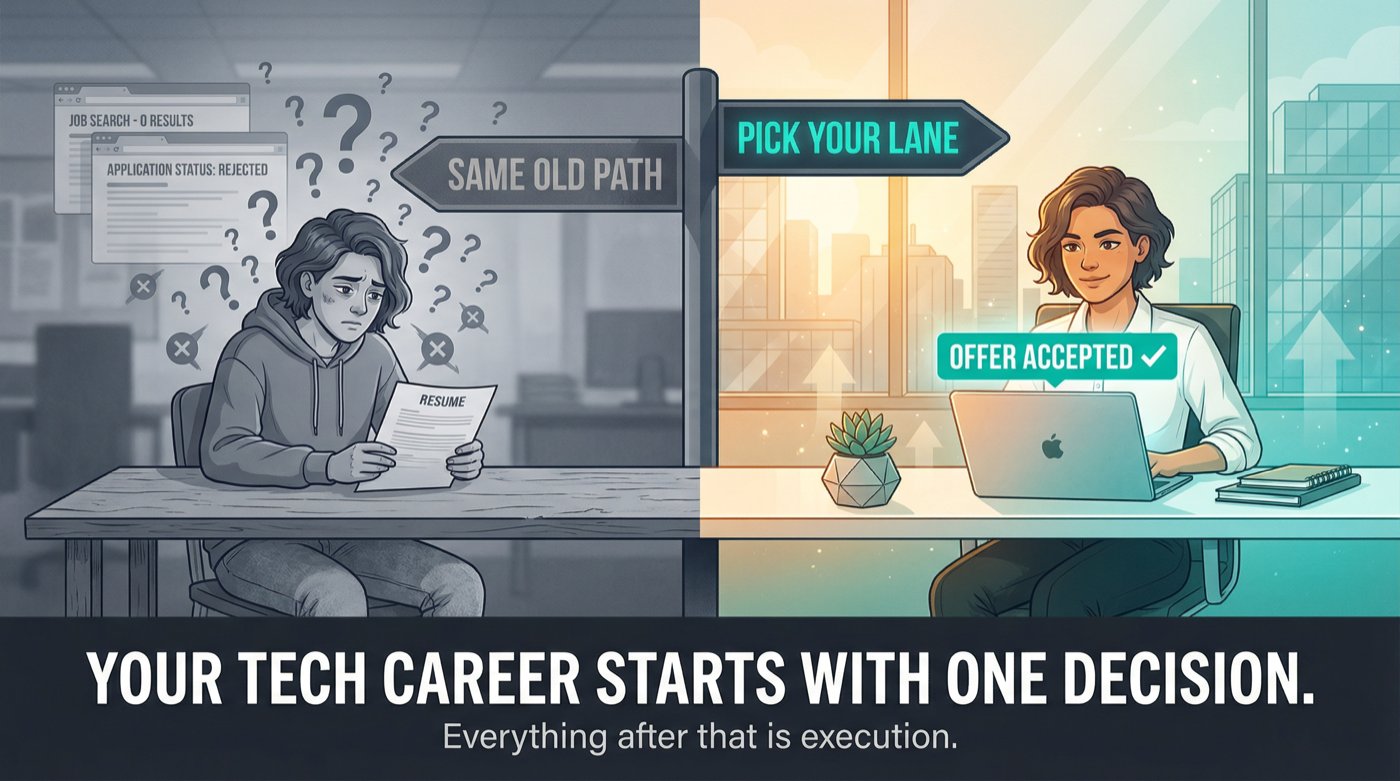
Your tech career starts with one decision: picking a lane. Everything after that is execution.
You don't need to write a single line of code to build a career in tech. That's not motivational fluff. It's just how the industry actually works in 2026.
Tech companies need people who can talk to customers, manage projects, test products, write documentation, close deals, and keep systems running. Those jobs pay well, they're growing fast, and most of them don't require you to know the difference between Python and JavaScript.
"No coding" doesn't mean "no effort," though. You still need a plan, you still need to prove you can do the work, and you still need to know how to get in front of the right people. That's exactly what this guide covers: a practical, step-by-step system for going from "I don't have tech experience" to "I'm getting interviews," built around real roles, real proof-of-work, and a 30-day timeline you can start today.
We built this at AIApply because we've helped over a million job seekers navigate exactly this problem. We know what works. And we know what wastes your time.
What Tech Jobs Don't Require Coding in 2026
Before you start applying, you need to understand what you're walking into. The tech job market in 2026 looks different from even two years ago, and a few shifts matter a lot for non-coders.
Skills are changing faster than job titles. The World Economic Forum's Future of Jobs Report 2025 reports that nearly 40% of skills required on the job are expected to change, and a majority of employers cite the skills gap as a key barrier to transformation. That sounds scary, but it's actually good news for career changers: employers know they can't find perfect candidates, so they're increasingly hiring for learning ability and adaptable skills rather than checking off exact experience requirements.
Tech literacy is becoming non-optional, even for non-coding roles. The same WEF Future of Jobs report highlights AI and big data among the fastest-growing skills, alongside networks, cybersecurity, and technology literacy. You can absolutely avoid writing code. But you can't avoid understanding how tech teams work, how software gets built, and what AI can (and can't) do.
AI tools are blurring the line between "technical" and "non-technical." Even product managers without technical backgrounds are using AI coding tools to prototype and build more directly, which is reshaping expectations across teams. This doesn't mean everyone must code. It means teams reward people who can think clearly, test ideas, and ship outcomes, even if the "how" is AI-assisted.
Most guides skip this part: tech isn't just an industry. It's a way of operating.
You can work "in tech" in two very different ways:
Your best entry point depends on what you're already good at. A former retail manager has different strengths than a recent English grad, and both can land tech roles. The key is matching your existing skills to the right lane. If you're coming in without any prior work experience, our guide on how to get hired fast in 2026 is a solid foundation to read alongside this one.
10 Tech Jobs You Can Get Without Coding
Most people fail at breaking into tech because they aim for the wrong target. They chase prestige instead of probability.
Pick the role where your existing strengths already cover at least 40% of the job, then build the missing 60% with proof-of-work. That single principle cuts through a lot of confusion.
Start with where you're already strong. Choose the role where your existing strengths already cover at least 40% of the job, then build the missing 60% with proof-of-work.
These 10 roles appear consistently across startups, scale-ups, and large companies. All of them are actively hiring in 2026:
Tech Sales (SDR/BDR, Account Executive track, Sales Engineering track)
QA Tester (Manual) / QA Analyst (entry-level)
Project Coordinator / Junior Project Manager / Delivery Coordinator
Product Operations / Operations Analyst / Implementation Specialist
Business Analyst (process + requirements focused)
UX Research (entry-level) / UX Writing / Content Design
CRM Admin (Salesforce/HubSpot) / RevOps Coordinator
Which Tech Role Fits You? (Quick Quiz)
Not sure which lane fits you? Pick the statement that feels most like you:
Now commit to one primary lane for 30 days. You can pivot later, but you can't build momentum while you're role-hopping.
12 Tech Concepts Every Non-Technical Candidate Should Know
This is the part people skip, and then wonder why their interviews go badly.
You don't need to build software. But you need a basic map of how software companies operate. When a hiring manager mentions "staging environment" or "API integration" and your face goes blank, they notice. And they start calculating risk.
The 12 concepts below won't require you to write a single line of code:
① What a product is: a system that delivers value to a user repeatedly
② What SaaS means: software delivered over the internet, usually subscription-based
③ Frontend vs backend: the user interface (what you see) vs the logic and data behind it
④ APIs: how different software systems talk to each other
⑤ Databases: where structured information lives (think spreadsheets, but much more powerful)
⑥ Authentication vs authorization: logging in (who you are) vs permissions (what you're allowed to do)
⑦ Bugs and tickets: how issues get tracked using tools like Jira, Linear, or Zendesk
⑧ Environments: dev, staging, and production (and why "prod" is sacred)
⑨ Release cycles: how changes ship safely from idea to live product
⑩ Key metrics: activation, retention, churn, NPS, conversion, uptime
⑪ Security basics: least privilege, phishing, MFA, data handling
⑫ AI workflows: what LLMs are good at (drafting, summarizing, pattern recognition) vs what they're bad at (guaranteed correctness, confidential data)
The World Economic Forum explicitly calls out technology literacy and AI-related skills as rising in importance through 2030. You don't need depth here. You need fluency.
How to Learn Basic Tech Concepts Over a Weekend
Pick any SaaS product you already use (Notion, Slack, Canva, Trello, a banking app). Write a one-page explanation covering:
Who is the user?
What problem does it solve?
What is the core workflow?
What could go wrong?
What would you measure?
This exercise takes about two hours, and it doubles as portfolio material for your job applications. Keep it. You'll use it later. When you're ready to turn that material into a resume, our AI Resume Builder can help you structure it for ATS.
How to Build a Tech Portfolio With No Experience
The mindset shift that separates people who break into tech quickly from those who spend months "getting ready":
"Experience" is not years on the job. It's evidence you can do the work. Show that you did the work, explain the work, and measure the work, and you become hireable much faster than someone who only studied.
For your chosen lane, create one to two artifacts that look like real work output from that job. Not a course certificate. A work product.
Below are plug-and-play templates for each role. Pick yours and ship it in 7 to 10 days.
How to Build a Customer Success Portfolio With No Experience
Build three things that a CS Manager would actually recognize as real work:
A 2-page onboarding checklist for a SaaS product
A churn risk scorecard
3 email templates (onboarding, renewal, escalation)
How to build it fast: Pick a SaaS with a free trial. Go through onboarding yourself and screenshot key steps. Write the checklist as if you're training a new customer. Define 5 churn signals (low usage, unanswered emails, missed setup steps). Draft your templates.
What it proves: empathy, structured thinking, communication, product understanding.
See how others have structured their Customer Success resumes with our Customer Success Manager resume examples, and explore cover letter examples for Customer Success Managers to see how strong candidates frame their application.
Want to understand what companies actually look for and what the role pays? Check the Customer Success Manager career page and the Customer Success Manager salary guide.
How to Break Into Tech Sales Without a Sales Background
How to build it: Pick an industry niche (dentists, logistics, fitness studios, indie ecommerce). Pick a SaaS that sells into that niche. Research why the niche buys, what triggers purchasing, and what objections come up. Build your outbound emails around that research.
What it proves: prospecting ability, messaging skill, business value thinking.
See Sales Development Representative resume examples and Account Executive resume examples for formatting ideas.
Our cover letter examples for Sales Development Representatives show how to position yourself when entering sales without a track record. And if you're wondering what SDR/BDR roles actually pay, the Sales Development Representative salary guide gives you honest numbers by experience level.
How to Build an IT Support Portfolio That Gets You Hired
This is the clearest way to prove you can do the job before you have the job. A knowledge base and troubleshooting decision tree tell a hiring manager exactly one thing: you've already thought like an IT technician.
Three deliverables that show technical credibility without writing code:
→ A mini knowledge base: "Top 15 tickets and resolutions"
→ A troubleshooting decision tree: for 3 common issues (printer, Wi-Fi, Outlook login)
→ A sample escalation note: clear, professional, and structured for a non-technical audience
How to build it: Use common IT issues: printer not working, Wi-Fi drops, Outlook login failures, VPN connectivity. Write step-by-step resolutions and "when to escalate" criteria. Keep it clean, structured, and jargon-free for end users.
CompTIA describes A+ as foundational for IT support roles, covering hardware, troubleshooting, and operational procedures. Your portfolio should reflect those same foundations.
Check out our IT Support Specialist resume examples for formatting ideas, and see cover letter examples for IT Support Specialists to see how candidates position themselves for help desk and desktop support roles.
The IT Support Specialist career page shows what skills employers are actively looking for. Benchmark your expected earnings using our IT Support Specialist salary guide.
How to Build a QA Testing Portfolio With No Experience
This is one of the most underrated entry points into tech. Companies always need people who can systematically find what's broken. If you're naturally detail-oriented and a little obsessive about things working correctly, QA might be your fastest path in.
How to build it: Pick a web app with a clear workflow (signup, checkout, booking). Define "what good looks like." Then try to break it systematically. Document everything.
What it proves: attention to detail, structured thinking, communication with engineering teams.
See our QA Tester resume examples for how to present this on your resume, and browse cover letter examples for QA Testers to learn how to frame your proof-of-work in applications.
Explore the QA Tester career page to understand what companies are looking for, and check the QA Analyst salary guide to set realistic earning expectations.
How to Build a Project Coordinator Portfolio From Scratch
How to build it: Pick a simple feature, like "Add live chat to a SaaS website." Break it into tasks: requirements gathering, tool selection, testing, rollout. Identify 5 risks and mitigations for each. Write one status update as if the project were in week 2.
Browse our Project Coordinator resume examples to see how others present this type of work. Our cover letter examples for Project Coordinators show how to lead with your organizational strengths.
The Project Coordinator career page highlights what hiring managers look for in entry-level candidates, and the Project Manager salary guide gives you a sense of where your earning potential grows as you advance.
How to Build a Business Analyst Portfolio With No Tech Background
A BA's job is turning ambiguous problems into clear, buildable specifications. This portfolio shows you can do that:
A one-page PRD-lite (product requirements document)
User stories with acceptance criteria
A process map showing current vs future workflow
How to build it: Pick a workflow you know well (expense approvals, appointment scheduling, product returns). Document the current process. Identify pain points. Rewrite it as a system with clear requirements.
Explore Business Analyst resume examples to see how other BAs present similar work. Our cover letter examples for Business Analysts show how to frame process improvement experience from outside tech.
The Business Analyst career page outlines what qualifications employers actually care about, and the Business Analyst salary guide gives you real pay ranges to negotiate from.
How to Build a Technical Writing Portfolio From Scratch
The goal here is simple: take something confusing and make it clear. Pick a product with messy documentation and rewrite one section cleanly. Focus on clarity, scannability, and helping someone solve a problem in under 3 minutes.
Three pieces that show you can do this:
One "Getting Started" guide
One troubleshooting guide
One API concept explainer (no code, just concepts)
What it proves: analytical thinking, precision in language, empathy for non-expert readers.
Our Technical Writer resume examples show how to highlight documentation skills effectively, and cover letter examples for Technical Writers demonstrate how to position writing-efficient work for tech employers.
Check the Technical Writer career page to see what specific skills are in demand, and the Technical Writer salary guide to understand your market rate.
How to Build a CRM Admin Portfolio Using Free Tools
How to build it: Use HubSpot's free CRM (or Salesforce's Trailhead sandbox). Design a pipeline for a fictional B2B company. Define what makes a lead "hot" vs "cold." Create 3 automation rules and explain the business logic behind each.
Salesforce admin certification exams are priced at $200 with a $100 retake fee. If CRM admin is your lane, that cert carries serious weight.
Our CRM Administrator resume examples and cover letter examples for CRM Administrators show you how to position this work.
The CRM Administrator career page details what Salesforce and HubSpot skills employers focus on, and the CRM Administrator salary guide helps you understand what this role pays at different experience levels.
How to Write a Resume That Gets Tech Callbacks
Your proof-of-work means nothing if your resume buries it under vague bullet points.
If your resume says "Responsible for customer service," that's not a signal. It's fog. Every candidate says that. Recruiters skim hundreds of resumes per day, and they're looking for concrete evidence, not job descriptions.
How to Write Strong Resume Bullets With No Tech Background
Action + tool/context + measurable outcome + why it mattered
Strong resume bullets actually look like this (no coding required):
"Resolved 30 to 50 customer tickets per week, reducing average first response time by 18% and improving CSAT from 4.1 to 4.6"
"Built onboarding checklist and templates that reduced time-to-first-value from 14 days to 7 days for new clients"
"Audited sales pipeline hygiene and created follow-up rules that improved meeting show rate by 12%"
"Created test cases for checkout flow; identified 9 critical bugs before release"
Notice the pattern: every bullet tells a story of impact. Numbers. Percentages. Time saved. Bugs caught. That's what makes a recruiter pause and keep reading.
Once you've rewritten your bullets, run your resume through our Resume Scanner to catch missing keywords and formatting issues before ATS rejects you. The scanner checks against 50+ ATS systems and gives you specific recommendations on what to fix. You can also use our AI Resume Checker for a free comprehensive review of your resume's content, structure, and layout.
If you need to build a resume from scratch, our AI Resume Builder generates ATS-friendly resumes with Harvard-inspired templates that match job descriptions automatically. Browse our resume examples hub for role-specific formatting inspiration.
How to Organize Your Job Search to Get More Interviews
Most job seekers treat their search like a lottery: apply, hope, repeat. That doesn't work. It just burns you out.
Think of your job search as a funnel instead. You need enough volume to generate outcomes, but enough quality to avoid wasting time. A job search tracker helps you stay on top of both.
You control four levers:
Target quality: Are you applying for jobs you're actually qualified for?
Proof strength: Does your portfolio and story make a convincing case?
Distribution: Are you using referrals and direct outreach, or just clicking "Easy Apply"?
Application quality: Are you tailoring keywords, customizing your cover letter, and being specific?
The 25-Company Target List: Your Job Search Foundation
This is the single most effective organizational approach for a job search. Build a list of 25 companies you'd genuinely work for. For each one, track:
2 to 3 target roles (specific job titles)
1 recruiter
1 hiring manager or team lead
1 recent post, product detail, or news item you can reference
This list makes everything else easier: networking becomes targeted, outreach becomes personalized, and you stop wasting time on companies you don't care about. Our job search strategy guide goes deeper on how to organize and execute this kind of systematic search.
How to Apply for Tech Jobs and Actually Hear Back
You want to look like someone who already does the job, not someone desperately blasting applications.
What to Include in Every Tech Job Application
For each job you apply to, submit these four things:
Role-targeted resume (keywords matched to the JD + your proof-of-work)
Short cover letter (not generic. 150 to 250 words, specific to that role)
Proof-of-work link (Google Doc, Notion page, or PDF portfolio)
Short outreach message to a human (LinkedIn or email)
LinkedIn Outreach Messages That Actually Get Responses
To a recruiter:
"Hey [Name], I applied for [Role]. I'm targeting [lane] roles and built a short [artifact] that mirrors the work. If helpful, I can share it. Is this role still actively hiring, and what matters most for shortlisting?"
To a hiring manager:
"Hi [Name], I'm applying for [Role]. I created a [artifact] based on your product and the JD, especially around [specific requirement]. If you're open to it, I'd love feedback on whether this matches what your team needs."
How to Use AI Tools to Speed Up Your Job Search
Doing all of this manually is doable but slow. We built AIApply to compress the repetitive parts so you can spend your time where humans still win: building proof-of-work, networking, and interviewing.
A practical workflow using our tools:
Find roles fast. Our Job Board aggregates over a million open positions and matches them to your skills. Instead of searching five different sites, you search one.
Tailor your resume and cover letter for each job. Use our Resume Builder and Cover Letter Generator to match keywords and responsibilities to each posting without turning your writing into robotic junk. Everything is editable before you send it.
Check ATS gaps before you hit submit. Run your resume through our Resume Scanner to catch missing keywords and formatting issues before the ATS auto-rejects you.
Apply at volume without sacrificing quality. Our Auto Apply feature can submit up to 500 tailored applications per month. Each one gets a customized resume and cover letter. You review the matches and let the system handle the repetitive clicks.
Prep and practice with real job descriptions. Our Mock Interview Simulator lets you paste a JD and practice with AI-generated questions. You get instant feedback on your answers, so you walk into real interviews already sharp.
How to Ace Tech Interviews Without a Technical Background
Non-coding tech interviews usually test four things:
Can you communicate clearly under pressure?
Can you reason from first principles?
Can you handle messy, real-world tradeoffs?
Can you learn quickly and self-correct?
If you can demonstrate all four, you'll outperform plenty of candidates with fancier resumes.
How to Prepare STAR Stories for Tech Interviews
Prepare 6 stories, each structured as Situation, Task, Action, Result (plus a Lesson about how you changed your approach going forward):
The key is specificity. "I helped improve customer satisfaction" is weak. "I redesigned the onboarding checklist for our top-tier accounts, which cut time-to-first-value from 14 days to 7 and improved NPS by 12 points" is the kind of answer that gets you hired.
Common Tech Interview Questions by Role
Practice answering these out loud (not just in your head):
Customer Success: "A customer wants to cancel. Walk me through what you do."
IT Support: "A user can't log in. How do you troubleshoot?"
QA: "How do you decide severity vs priority for a bug?"
Project Coordinator: "Your timeline just slipped by two weeks. What do you do Monday morning?"
Business Analyst: "Two stakeholders disagree on requirements. How do you align them?"
Tech Sales: "Tell me about a time you got a 'no' and recovered."
How to Practice for Tech Interviews Using AI Tools
Our Mock Interview Simulator generates tailored questions based on actual job descriptions. You can run through a complete mock interview in 15 to 30 minutes and get instant AI feedback on your answers.
And when the real interview comes, our Interview Buddy works in-browser for Zoom, Google Meet, and Teams to provide real-time prompts during live interviews. It's designed to support recall and structure, not to generate a script. Use it responsibly as backup for nerves, not as a substitute for preparation. Never use it to invent experience you don't have.
The 30-Day Plan to Break Into Tech With No Experience
You can do this while employed, with 60 to 90 minutes per day. This isn't a "quit your job and study for six months" plan. It's a focused sprint.
Days 1 to 3: Picking Your Target Role
The only goal here is clarity. By day 3, you should know exactly what role you're targeting and what employers want to see.
Pick 1 role lane from the list above
Pick 8 to 12 real job titles (pulled directly from job boards)
Save 20 job postings and highlight the recurring requirements
Days 4 to 10: Building Your Portfolio
Ship 1 artifact from the templates above
Put it in a clean, shareable format (Google Doc, Notion, or PDF)
Ask 2 people for honest feedback (ideally someone in that role)
Days 11 to 14: Creating Your Application Materials
① Master resume: built with our Resume Builder or from scratch
② Role-tailored resume variant: one version customized for your target lane
③ Cover letter template: personalized per company using our Cover Letter Generator
④ LinkedIn headline: rewritten to match your target lane
Days 15 to 30: Applying and Networking Daily
Daily targets:
3 tailored applications
5 outreach messages (LinkedIn or email)
1 conversation booked per week (coffee chat, recruiter call, informational interview)
By day 30, you should have submitted 45+ tailored applications, sent 75+ outreach messages, and had at least 2 real conversations with people at target companies. That's how "no experience" starts turning into interviews.
For more strategy on finding roles that don't require experience, check out our guide on how to get hired fast. And if you're looking for more structured search tactics, our guide to finding jobs quickly covers how to filter real opportunities and move efficiently through the application process.
Best Certifications for Non-Technical Tech Jobs in 2026
Certifications aren't magic. They're a signal. Sometimes they carry real weight with recruiters; sometimes they're just expensive procrastination.
When Getting a Tech Certification Is Actually Worth It
The role is a credentialed lane (cloud fundamentals, CRM admin, IT support)
Job postings repeatedly list it as required or preferred
It shortens the trust gap faster than proof-of-work alone
When You Should Skip the Certification (And Apply Instead)
Your proof-of-work already demonstrates the skill
You're using it to avoid applying ("I'm not ready yet")
The role rarely asks for it in actual job postings
Best Tech Certifications for Beginners (With 2026 Prices)
Pricing varies by region, currency, and available discounts. Always verify current pricing directly on certification provider websites before committing.
4 Mistakes That Keep You From Getting a Tech Job
Trap 1: Waiting Until You Feel Ready to Apply
You get ready by applying. Early applications teach you what the market actually wants, how your resume lands, and what interview questions come up. Waiting for perfection is just procrastination wearing a productive disguise.
Trap 2: Targeting the Wrong Entry-Level Role
Product Manager isn't an entry-level role at most companies, even if the internet says otherwise. If you're starting from zero, a better entry point is Product Ops, Support, QA, or Implementation. You can always move toward PM later, with actual context and credibility behind you.
The roles with the most entry-level openings are Customer Success, IT Support, and QA. They're not glamorous starting points, but they're real ones.
Trap 3: Assuming No Coding Means No Skill Building
You're not avoiding skill building. You're choosing skills with a different shape: communication, analysis, tools, systems thinking. These are real, valuable skills. But they still require deliberate effort. Understanding what skills each tech role demands helps you focus your learning on what hiring managers actually want.
Trap 4: Building a Generic Portfolio That Doesn't Match the Job
Your portfolio must match the job you're targeting. A generic "case study" that could apply to any role is weaker than one targeted artifact that directly mirrors the job description. Specificity wins.
Common Questions About Getting Into Tech Without Coding
Can I really get a tech job with absolutely no coding skills?
Yes. Thousands of people do it every year. Roles like Customer Success, Tech Sales, QA Testing, IT Support, and Technical Writing don't require coding. They require communication, structured thinking, and the ability to learn tools quickly. The key is choosing the right role and proving you can do it through concrete work samples.
What's the fastest path into tech for someone with no experience?
IT Support and Customer Success tend to have the shortest time-to-hire because they have high volume, clear skill requirements, and lots of entry-level openings. If you follow the 30-day plan in this guide (choose a lane, build proof-of-work, start applying by day 15), you can realistically land interviews within 4 to 6 weeks.
Do I need a degree in computer science or a related field?
No. Most of the roles listed in this guide don't require a specific degree. Employers care about what you can do, not what you studied. A well-structured proof-of-work portfolio and a targeted resume will outweigh a generic degree in many hiring processes.
Which certifications should I get first?
It depends on your target role. For IT Support, CompTIA A+ is the standard. For CRM Admin roles, Salesforce Administrator carries serious weight. For a general tech signal, Google Career Certificates or AWS Cloud Practitioner are affordable and widely recognized. Only pursue a cert if it's frequently listed in job postings for your target role.
How do I compete against candidates who have tech experience?
By doing what most of them won't: building targeted proof-of-work. Many experienced candidates rely on their resume alone. If you show up with a portfolio artifact that mirrors the actual job (like a test plan, onboarding playbook, or outbound sales system), you demonstrate initiative and practical skill that many "experienced" candidates never bother to prove.
Is it worth using AI tools during my job search?
Absolutely, as long as you use them strategically. AI tools like AIApply can compress the time-consuming parts of job searching (resume tailoring, cover letter writing, application submissions) so you can focus on the high-value activities that AI can't do for you: building relationships, creating proof-of-work, and performing well in interviews.
How many applications should I send per day?
Quality matters more than quantity, but you still need volume. Aim for 3 tailored applications per day alongside 5 outreach messages. That puts you at 45+ applications and 75+ outreach messages over a two-week application sprint. Tools like our Auto Apply can help you maintain that volume without spending hours per application on formatting and customization.
What if I don't know which tech role is right for me?
Start with the role-fit quiz earlier in this guide. Match your natural strengths to the role that fits best, then commit to that lane for 30 days. You'll learn quickly whether it's the right fit based on how the job postings resonate with you and how your proof-of-work feels to build. You can always pivot after the initial 30 days.
Are "no experience required" job postings actually real?
Some are, some aren't. Legitimate entry-level postings usually say "0 to 2 years" or "entry-level" and list specific skills rather than years of experience. Be cautious of postings that are extremely vague about responsibilities or ask for upfront payment. Our guide to finding jobs quickly includes specific tips on sorting real opportunities from misleading listings.
How important is networking if I don't know anyone in tech?
Extremely important, and you don't need existing connections to start. The 25-company list method works because it gives you specific people to contact at specific companies. Send short, respectful outreach messages on LinkedIn. Attend virtual meetups or local tech events. One warm referral is worth more than 50 cold applications.
Are there special resources for students breaking into tech?
Yes. If you're a student or recent graduate, AIApply offers a 40% student discount on all premium features, including AI resume building, cover letter generation, interview prep tools, and Auto Apply credits.
Your First Steps to Getting a Tech Job With No Coding Experience
Pick one lane and one artifact to build this week. Don't overthink it. Choose the role that matches your strengths and start building proof-of-work.
Rewrite your resume bullets to show outcomes, not responsibilities. Use the formula: action + context + measurable result. Then run it through our Resume Scanner to make sure it passes ATS.
Apply daily and message humans daily. Starting on day 15 of the plan, your only job is volume and outreach. 3 applications, 5 messages, every single day.
That combination is how "no experience" becomes "obviously hireable."
And if you want to move faster, AIApply is built to handle exactly this. From building ATS-optimized resumes to auto-applying for hundreds of matched roles to practicing with AI-powered mock interviews, our tools are designed to get you from "submit" to "scheduled" as fast as possible. Over a million job seekers have used our platform, and our users are 80% more likely to get hired faster.
Your tech career starts with one decision: picking a lane. Everything after that is execution.
.webp)
.webp)
Don't miss out on
your next opportunity.
Create and send applications in seconds, not hours.


