
Best Free Resume Builders Online in 2026

.webp)
There's a specific kind of frustration that comes from spending 45 minutes filling out a resume builder, polishing your work history, adjusting the layout, and then hitting "Download." A payment wall appears. That's not a free tool. That's a trap.
A lot of job seekers search for best free resume builders online expecting to find tools that actually let them walk away with a clean PDF at no cost. And a surprising number of the top search results lead to products that are technically "free to use" but paid to download. The difference matters, and we'll help you cut through it.
This guide covers the genuinely free tools available in 2026, how to tell the real ones from the fake-free ones, and a smarter workflow that combines a free builder with AIApply's AI tools to give you the best shot at actually getting interviews.
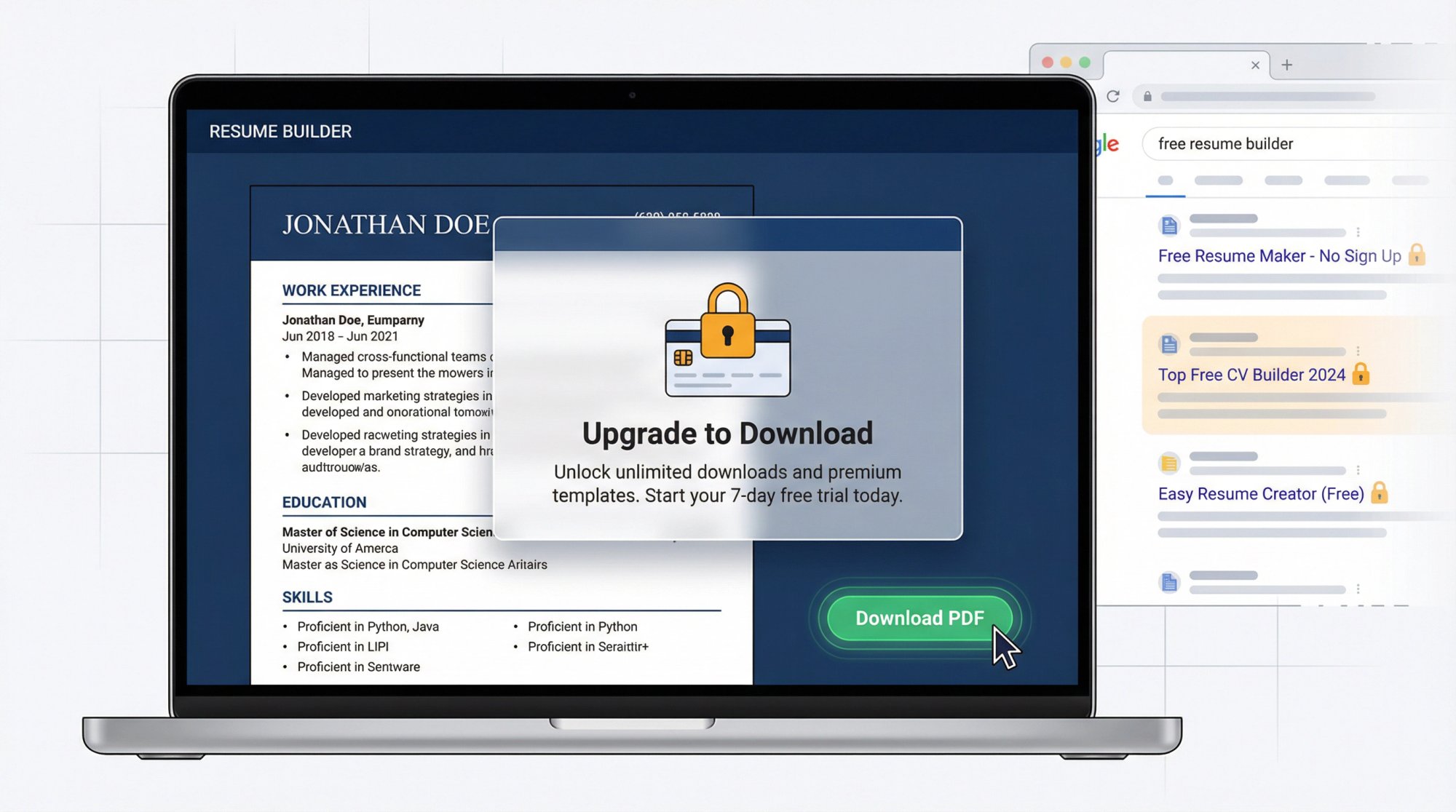
How Resume Builders Trick You With "Free" Plans
For the purposes of this guide, a tool only qualifies as genuinely free if it does at least one of the following:
Lets you download a complete, formatted PDF resume without paying or watermarking
Doesn't require a credit card to build and export your document
Doesn't auto-enroll you in a paid trial just to get your file
That definition matters because several popular tools are designed to feel free right up until the moment you need your resume. They let you type everything in, design the layout, maybe even preview it. Then the download button is behind a subscription. Understanding the fundamentals of effective resume formats will help you evaluate any tool's actual output quality before committing to it.
Two clear examples to recognize:
ResumeBuilder.com is explicit about this in its own FAQ: you can download a plain TXT resume for free, but downloading a designed PDF requires a paid subscription. That's not free in the way most job seekers mean.
Resume.io similarly promotes a paid trial that auto-renews, and its help center explains that free plan download options are limited. Read the fine print before you invest an hour.
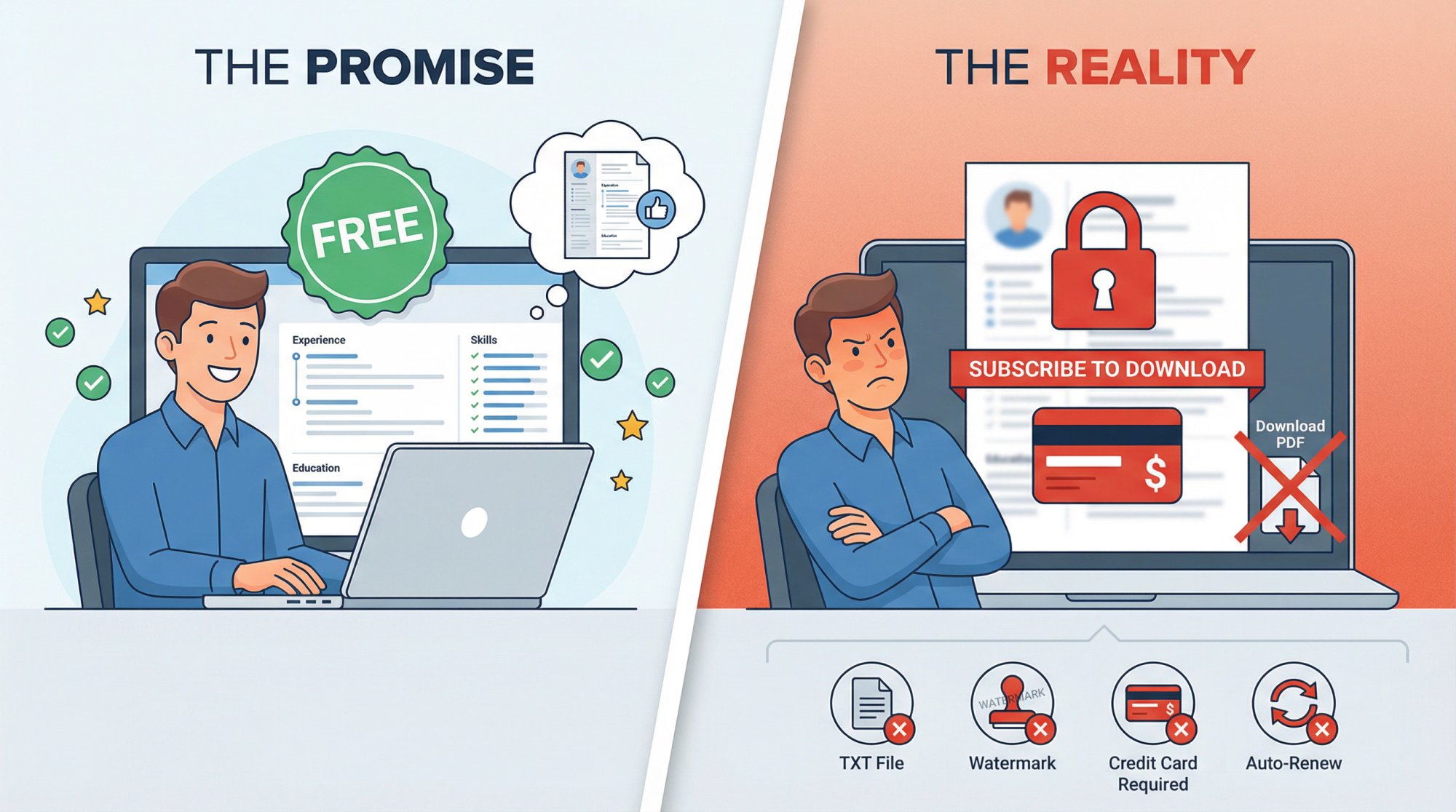
How to Check If a Resume Builder Is Truly Free
Before you sink time into any resume builder, run through this quick check:
Search the site for "download PDF free plan" or look at the pricing page
Watch for language like "Download TXT for free" (but not PDF) or "PDF requires subscription"
Look for mentions of watermarks on free exports
Check whether there's a credit card field or "free trial" language that auto-renews
If any of those appear, you know what you're dealing with before you've spent a minute.
The Best Free Resume Builders With No Hidden Fees
Once you filter out the fake-free tools, a smaller set of legitimate options remains. We've organized them by use case, because the "best" one depends on what you actually need.
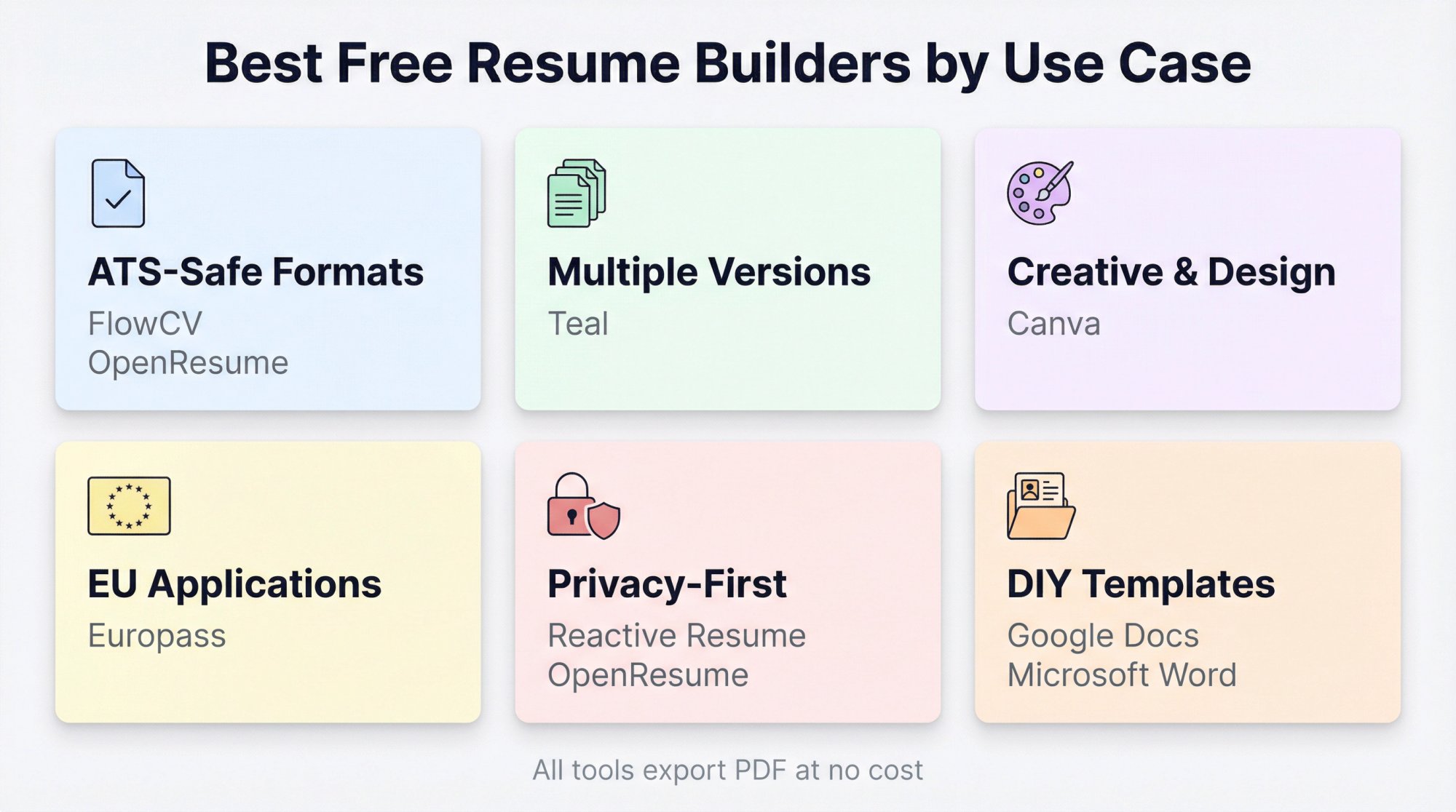
Best Free Resume Builders for ATS-Safe Formats
FlowCV has an unusually honest free plan: your first resume is free forever, with unlimited PDF downloads and no watermark. It explicitly calls out ATS-friendly templates, and there's no bait-and-switch at the download step. The main limit is that the free plan covers one resume. If you need lots of separately saved versions, you'll hit that cap.
OpenResume is open-source and requires no account to use. One of its more useful features is a built-in ATS readability tester, so you can check whether your formatting will parse cleanly before you apply anywhere. The template selection is more limited than commercial tools, but the ATS focus makes it genuinely useful.
Best Free Resume Builders for Multiple Tailored Versions
If you're applying broadly and tailoring your resume for different roles, Teal is worth looking at. Its free tier is built around the idea that you need multiple customized versions, not just one static document. The core resume builder is free, though some advanced features are behind a paid tier. Our AI Resume Rewriter offers the same multi-version tailoring with AI-powered customization for each specific role.
Best Free Resume Builders for Creative and Design Jobs
Canva's resume builder is free to use and produces visually polished results. For designers, marketers, and creative professionals, that visual quality matters. If you're applying in those fields, a graphic designer resume or marketing manager resume built with strong visual presentation can make a real difference.
Just be aware of the ATS consideration: heavily designed resumes with graphics, text boxes, and columns can break parsing in older ATS portals. If you're applying through an online form, Canva is best paired with a simpler backup version. For portfolio-first or recruiter-led applications, it works well.
Best Free Resume Builder for EU Job Applications
Europass is an official EU platform that's completely free. It's useful for education, training, cross-border EU applications, and any context where the Europass standardized format is expected or welcomed. The downside is that standardized formats can feel generic in competitive private-sector hiring, but for the right context, it's the obvious choice.
Best Privacy-First Free Resume Builders
Reactive Resume is open-source and designed for people who want full control: self-hosting is an option, your data doesn't live on someone else's servers, and you can export freely. It's slightly more DIY than consumer-facing builders, which makes it ideal for technical users and privacy-conscious applicants rather than someone who wants the fastest possible experience.
Can You Use Your LinkedIn Profile as a Resume?
LinkedIn lets you export your profile as a PDF directly from the desktop version. If your profile is current and detailed, this is a fast shortcut. Know the limits, though: according to LinkedIn's official help documentation, the export is only available on desktop and only when your profile language is English. Also, a LinkedIn profile isn't structured the same way a tailored resume is. It's unlikely to pass ATS as cleanly as a purpose-built document.
Free Resume Templates in Google Docs and Microsoft Word
Google Docs' template gallery and Microsoft's resume templates in Word are genuinely free and maximally portable. You own the file, export to PDF whenever you want, and there's no account beyond Google or Microsoft. The trade-off: formatting is entirely up to you. You get the layout freedom, but you don't get the guardrails that dedicated builders provide.
Free Resume Builder Comparison: What You Actually Get
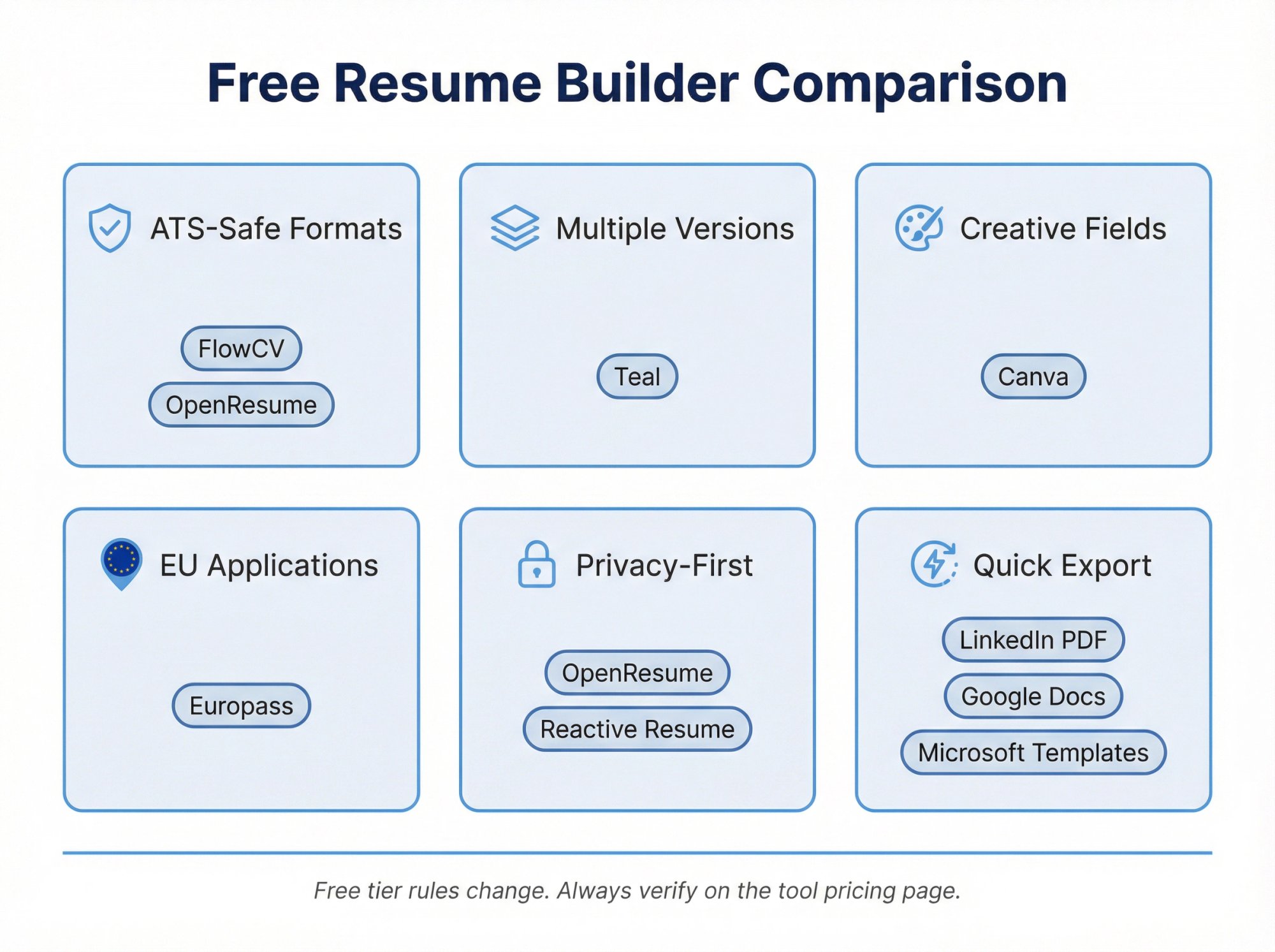
A note on this table: Free tier rules change constantly. Always verify on the tool's own pricing or help page before investing time. The information above was current as of February 2026.
How to Choose the Right Free Resume Builder
Rather than recommending one tool for everyone, here's a simple decision path:
1. Are you applying through online portals that use ATS?
If yes, prioritize tools that produce one-column layouts with standard headings (Experience, Education, Skills) and minimal graphics. FlowCV, Teal, OpenResume, and Novoresume all work well here. Choosing from ATS-friendly resume templates will help you make smarter formatting decisions regardless of which builder you use.
2. Do you need to maintain multiple versions for different job types?
Tailoring matters. If you're applying to both startup roles and corporate positions, or to different industries, you need separate versions. Teal is built around this workflow. For those who want AI-powered tailoring, our AI Resume Builder and AI Resume Rewriter make it fast to create job-specific versions from a single base document.
3. Are you in a creative field where visuals matter?
If your work will be reviewed by a human first (portfolio review, recruiter referral, email submission), Canva's design quality is an asset. Just keep an ATS-clean backup version for portal submissions. Looking at resume examples for your specific role can also help you understand what hiring managers in your field expect to see.
4. Is privacy your primary concern?
OpenResume and Reactive Resume are both open-source. Reactive Resume supports self-hosting if you want your resume data entirely under your control.
5. Are you applying for roles in the EU?
Europass is designed exactly for this and is officially recognized across EU institutions and many employers.
How to Write a Resume That Actually Gets Interviews
The tool you pick matters less than you think. A well-crafted resume in Google Docs will outperform a poorly written one in the most sophisticated AI builder. Here's how to build content that works.
How to Prepare Your Resume Content Before Using a Builder
A resume builder is a formatting machine. It can't invent credible evidence. Before you open any tool, spend 10 minutes making a rough list for each role or major project. Think of it as building your core resume components:
What you did (in plain language)
What tools, methods, or technologies you used
The scale of your work (number of users, revenue, volume, team size)
The outcome (ideally a number)
Any proof (portfolio link, manager name, award, press mention)
Once this list exists, filling in any builder becomes fast. The hard work is thinking, not clicking.
How to Write Resume Bullets That Show Real Impact

Most weak resumes read like job descriptions. They describe what the role was, not what the person accomplished. The difference between landing an interview and getting filtered out often comes down to bullet quality. Study powerful resume bullet point examples to understand exactly what strong looks like.
Use this structure: action verb + what you built or did + how + result
Weak: "Responsible for social media."
Strong: "Grew Instagram reach by 68% in 90 days by redesigning content pillars and running weekly A/B tests on hooks."
The second version tells a hiring manager something real. It has a number, a timeframe, and a method. That's what gets read. Using Harvard-level resume action verbs transforms passive bullet points into evidence of measurable impact.
The pattern that works: Specific numbers + a timeframe + a method. That combination makes a hiring manager stop skimming and actually read.
How to Tailor Your Resume Without Starting From Scratch
Tailoring a resume doesn't mean rewriting it from scratch for every application. You're doing something more targeted: aligning your language to the job description. Learn exactly how to tailor your resume to a job description without starting from scratch each time.
Pull the top 8-10 hard skills and keywords from the job posting. Then check whether the ones you genuinely have appear in your:
Skills section
2-3 of your bullets
Summary line (only if those skills are central to your pitch)
That's not keyword stuffing. That's making sure an ATS can find what it's looking for when it reads your document. Your skills section deserves particular attention. The right mix of hard and soft skills, presented clearly, can be the difference between a pass and a fail in automated screening. And don't neglect soft skills on your resume, which hiring managers increasingly weigh alongside technical qualifications.
The ATS Compatibility Check Most People Skip
You've built a clean resume and tailored it to the role. Most people stop here. But there's one more step that catches a significant number of silent rejections before they happen: an ATS compatibility check.
Our Resume Scanner analyzes your resume against 50+ ATS systems, flags keyword gaps specific to your industry and target roles, and surfaces formatting issues that could prevent proper parsing. It's free to use with unlimited scans, and uploaded resume data is deleted within 24 hours. Running your document through before you submit takes under two minutes and catches things that are easy to miss when you're editing your own content.
Which Resume File Format Should You Send: PDF, DOCX, or Plain Text?
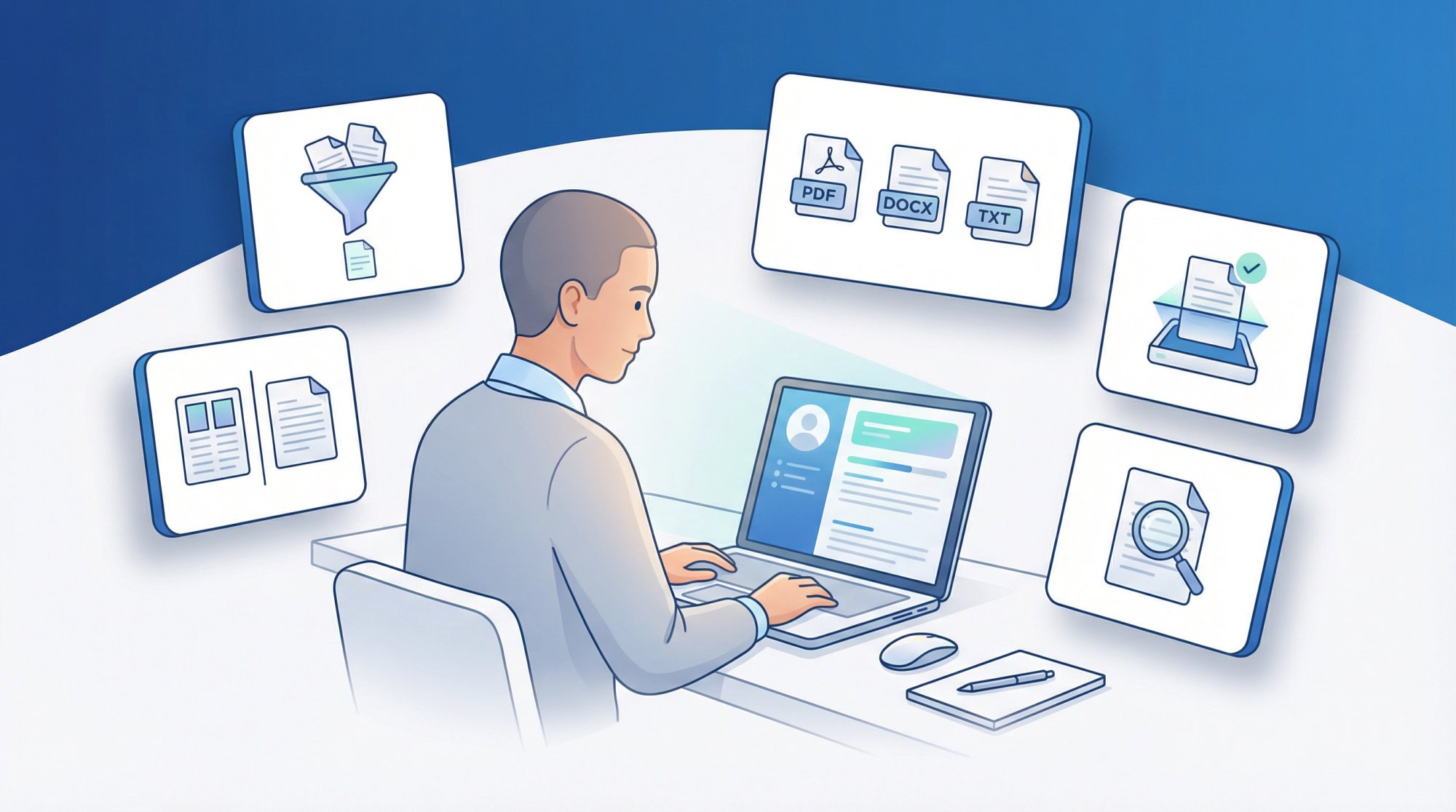
Different application contexts need different file types. Get this wrong and your carefully formatted resume may arrive as garbled text.
→ PDF for email submissions and upload portals where formatting needs to be preserved exactly
→ DOCX when a portal explicitly requests a Word document
→ Plain text when the application form has a text box where you paste your resume directly
Our AI Resume Builder supports all three export formats (PDF, DOCX, and plain text), so you're never stuck choosing between what a portal accepts and how your resume looks.
The Free Resume Builder Workflow That Actually Works in 2026
Most people treat the resume builder as the whole job. In practice, the resume builder is just step one. The workflow that actually works combines a free tool for layout with AI-powered optimization for everything that matters:
① Start with a truly free builder for your base document
Pick one of the genuinely free tools above based on your situation. Build a clean, complete draft. Focus on the content (evidence bank, strong bullets) rather than the template. If you're starting a new job search, use our Auto Apply platform to browse over 1 million open roles and get a clear picture of what employers are actually asking for.
② Tailor it to the specific role
Pull keywords from the job description. Adjust your summary and top bullets to match the language the employer is using. Don't rewrite. Realign. Our AI Resume Rewriter can do this job-specific tailoring in seconds.
③ Scan it with our free Resume Scanner
Run your tailored resume through AIApply's Resume Scanner before you submit anywhere. It checks against 50+ ATS systems and gives you specific keyword recommendations, not just a vague score. This is where most people catch the issues that were causing silent rejections.
④ Write a role-specific cover letter
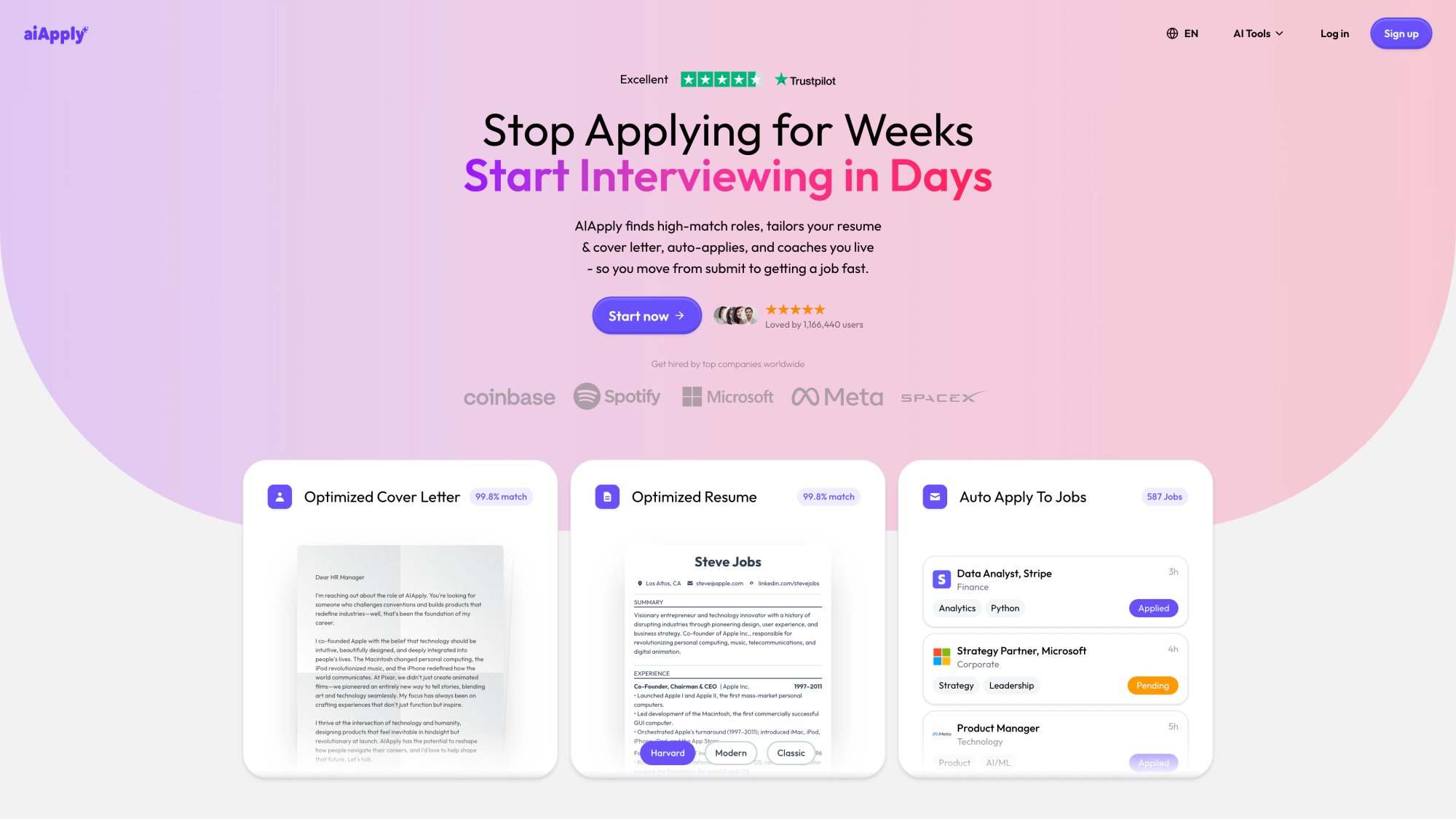
A generic cover letter is nearly as bad as no cover letter. Our AI Cover Letter Generator creates role-specific letters designed to sound human, not like a template with your name swapped in. You can start for free.
⑤ Scale your applications if needed
If you're actively applying to dozens of roles, doing all of this manually for each one isn't realistic. Auto Apply handles the application process across 1 million+ job postings, using AI-tailored resumes and cover letters for each submission. It's the difference between applying to 10 roles a week and 50+, without losing quality on each one.
The underlying logic: A free builder gives you a clean document. AIApply gives you the intelligence layer on top. You don't have to pay to use a good layout tool. You do want AI on your side when it's time to optimize, validate, and scale.
If you're a student, we offer a 40% student discount on premium features. Visit our student plans page to claim it with your student email. And if you just want to start with the free tier, our Resume Scanner, Cover Letter Generator, and job board access are all available without a credit card.
Free Resume Builder FAQs
Are ATS-Friendly Resume Templates Actually Worth It?
There's truth in it, but the term gets overused. An ATS is essentially two things working together: a parser that extracts your text into structured fields (name, job title, dates, bullet points), and a matcher that looks for keywords relevant to the role.
"ATS-friendly" in a meaningful sense means the template produces a layout that the parser can read cleanly:
Standard section headings
One-column structure
No tables or text boxes that scramble extraction
No embedded graphics where the text should be
Builders that explicitly design for ATS compatibility and test their templates against real parsing engines are genuinely worth prioritizing over visually pretty alternatives that weren't designed with this in mind. Our AI Resume Templates are built with this in mind.
Should I Use a Two-Column Resume Layout?
It depends on how you're applying. For portal submissions, one column is almost always the safer choice. Two-column layouts can cause parsing errors where content from different columns gets merged or scrambled. These are some of the key resume format tips that most job seekers overlook.
If you're applying through a direct email or portfolio-first process where a human sees your document first, two columns can look polished. But if you're submitting through an online portal and you don't know which ATS it uses, stick with one column. For portal submissions, one column is the default-safe option.
Can I Export My LinkedIn Profile as a Resume PDF?
If your LinkedIn profile is comprehensive and current, it's a fast option for situations where speed matters most. LinkedIn's help documentation outlines the limitations: it's only available on desktop, only when your profile language is English, and may not be available for all members.
The more significant issue is that a LinkedIn profile isn't structured the way a tailored resume is. It wasn't written with a specific job description in mind, it typically doesn't have targeted keywords, and the format isn't designed for ATS parsing. It's a solid shortcut in a pinch, not a replacement for a purpose-built document.
What's the Fastest Way to Check If My Resume Will Pass ATS Before I Apply?
Run it through a dedicated scanner before you submit. Our Resume Scanner is free to use with unlimited scans and analyzes your resume against 50+ ATS systems. It flags both:
Formatting problems (things that break parsing)
Keyword gaps (terms the employer is likely filtering for that don't appear in your document)
Uploaded data is deleted within 24 hours. The whole process takes under two minutes, and it's the most reliable way to catch issues before they become silent rejections.
Worth noting: Most ATS rejections are silent. You never get an error message or feedback. Running a scanner before you apply is the only way to know what the system actually sees when it reads your resume.
Is It Worth Paying for a Resume Builder, or Can I Do Everything with Free Tools?
For the document itself, genuinely free tools can produce perfectly strong resumes. The layout quality is not the main variable. Where paid AI tools earn their cost is in tailoring speed, ATS validation, and cover letter generation: the steps that come after you have a clean document.
If you're in a focused, targeted job search, you can do this manually. If you're applying to many roles and need to maintain quality and speed, tools like our AI Resume Builder (which includes GPT-4-powered tailoring, ATS-optimized templates, and multi-format export) start paying for themselves quickly.
My Resume Keeps Getting Rejected but I Don't Know Why. What's Going Wrong?
The most common culprits fall into two categories:
Formatting issues that prevent proper ATS parsing:
Columns, text boxes, or tables in the body
Headers/footers with important content
Non-standard section names or unusual fonts
Keyword gaps: you might be qualified for the role, but if your resume doesn't use the specific language from the job posting, automated screening won't match you.
Our guide on resume optimization techniques covers both categories with specific fixes. Run your resume through our Resume Scanner for specific, actionable recommendations rather than a generic score.
Do I Need a Different Resume for Every Application?
Not from scratch. What you need is a well-structured base resume plus the ability to make targeted adjustments for each role. That means swapping or adding a few keywords in the skills section, adjusting your summary line, and updating 2-3 bullets to reflect language from that specific job description.
Our AI Resume Summary Generator can instantly produce a tailored summary for any role. Doing this for every application manually is time-consuming, which is part of why tailoring tools exist. At minimum, have at least two versions: one for a specific target role type, and a general one for opportunities that don't fit neatly into your primary track.
What File Format Should I Send: PDF, DOCX, or Plain Text?
The answer depends on the application method:
PDF when you're uploading to a portal that preserves formatting or attaching to an email (it ensures your document looks exactly as intended on any device)
DOCX when the portal or employer explicitly requests a Word file (some hiring managers want to add notes directly)
Plain text when you're pasting your resume into a form field, which is common on older application portals
Our AI Resume Builder exports all three formats, so you can adapt to whatever each employer's process requires.
There's a specific kind of frustration that comes from spending 45 minutes filling out a resume builder, polishing your work history, adjusting the layout, and then hitting "Download." A payment wall appears. That's not a free tool. That's a trap.
A lot of job seekers search for best free resume builders online expecting to find tools that actually let them walk away with a clean PDF at no cost. And a surprising number of the top search results lead to products that are technically "free to use" but paid to download. The difference matters, and we'll help you cut through it.
This guide covers the genuinely free tools available in 2026, how to tell the real ones from the fake-free ones, and a smarter workflow that combines a free builder with AIApply's AI tools to give you the best shot at actually getting interviews.
How Resume Builders Trick You With "Free" Plans
For the purposes of this guide, a tool only qualifies as genuinely free if it does at least one of the following:
Lets you download a complete, formatted PDF resume without paying or watermarking
Doesn't require a credit card to build and export your document
Doesn't auto-enroll you in a paid trial just to get your file
That definition matters because several popular tools are designed to feel free right up until the moment you need your resume. They let you type everything in, design the layout, maybe even preview it. Then the download button is behind a subscription. Understanding the fundamentals of effective resume formats will help you evaluate any tool's actual output quality before committing to it.
Two clear examples to recognize:
ResumeBuilder.com is explicit about this in its own FAQ: you can download a plain TXT resume for free, but downloading a designed PDF requires a paid subscription. That's not free in the way most job seekers mean.
Resume.io similarly promotes a paid trial that auto-renews, and its help center explains that free plan download options are limited. Read the fine print before you invest an hour.
How to Check If a Resume Builder Is Truly Free
Before you sink time into any resume builder, run through this quick check:
Search the site for "download PDF free plan" or look at the pricing page
Watch for language like "Download TXT for free" (but not PDF) or "PDF requires subscription"
Look for mentions of watermarks on free exports
Check whether there's a credit card field or "free trial" language that auto-renews
If any of those appear, you know what you're dealing with before you've spent a minute.
The Best Free Resume Builders With No Hidden Fees
Once you filter out the fake-free tools, a smaller set of legitimate options remains. We've organized them by use case, because the "best" one depends on what you actually need.
Best Free Resume Builders for ATS-Safe Formats
FlowCV has an unusually honest free plan: your first resume is free forever, with unlimited PDF downloads and no watermark. It explicitly calls out ATS-friendly templates, and there's no bait-and-switch at the download step. The main limit is that the free plan covers one resume. If you need lots of separately saved versions, you'll hit that cap.
OpenResume is open-source and requires no account to use. One of its more useful features is a built-in ATS readability tester, so you can check whether your formatting will parse cleanly before you apply anywhere. The template selection is more limited than commercial tools, but the ATS focus makes it genuinely useful.
Best Free Resume Builders for Multiple Tailored Versions
If you're applying broadly and tailoring your resume for different roles, Teal is worth looking at. Its free tier is built around the idea that you need multiple customized versions, not just one static document. The core resume builder is free, though some advanced features are behind a paid tier. Our AI Resume Rewriter offers the same multi-version tailoring with AI-powered customization for each specific role.
Best Free Resume Builders for Creative and Design Jobs
Canva's resume builder is free to use and produces visually polished results. For designers, marketers, and creative professionals, that visual quality matters. If you're applying in those fields, a graphic designer resume or marketing manager resume built with strong visual presentation can make a real difference.
Just be aware of the ATS consideration: heavily designed resumes with graphics, text boxes, and columns can break parsing in older ATS portals. If you're applying through an online form, Canva is best paired with a simpler backup version. For portfolio-first or recruiter-led applications, it works well.
Best Free Resume Builder for EU Job Applications
Europass is an official EU platform that's completely free. It's useful for education, training, cross-border EU applications, and any context where the Europass standardized format is expected or welcomed. The downside is that standardized formats can feel generic in competitive private-sector hiring, but for the right context, it's the obvious choice.
Best Privacy-First Free Resume Builders
Reactive Resume is open-source and designed for people who want full control: self-hosting is an option, your data doesn't live on someone else's servers, and you can export freely. It's slightly more DIY than consumer-facing builders, which makes it ideal for technical users and privacy-conscious applicants rather than someone who wants the fastest possible experience.
Can You Use Your LinkedIn Profile as a Resume?
LinkedIn lets you export your profile as a PDF directly from the desktop version. If your profile is current and detailed, this is a fast shortcut. Know the limits, though: according to LinkedIn's official help documentation, the export is only available on desktop and only when your profile language is English. Also, a LinkedIn profile isn't structured the same way a tailored resume is. It's unlikely to pass ATS as cleanly as a purpose-built document.
Free Resume Templates in Google Docs and Microsoft Word
Google Docs' template gallery and Microsoft's resume templates in Word are genuinely free and maximally portable. You own the file, export to PDF whenever you want, and there's no account beyond Google or Microsoft. The trade-off: formatting is entirely up to you. You get the layout freedom, but you don't get the guardrails that dedicated builders provide.
Free Resume Builder Comparison: What You Actually Get
A note on this table: Free tier rules change constantly. Always verify on the tool's own pricing or help page before investing time. The information above was current as of February 2026.
How to Choose the Right Free Resume Builder
Rather than recommending one tool for everyone, here's a simple decision path:
1. Are you applying through online portals that use ATS?
If yes, prioritize tools that produce one-column layouts with standard headings (Experience, Education, Skills) and minimal graphics. FlowCV, Teal, OpenResume, and Novoresume all work well here. Choosing from ATS-friendly resume templates will help you make smarter formatting decisions regardless of which builder you use.
2. Do you need to maintain multiple versions for different job types?
Tailoring matters. If you're applying to both startup roles and corporate positions, or to different industries, you need separate versions. Teal is built around this workflow. For those who want AI-powered tailoring, our AI Resume Builder and AI Resume Rewriter make it fast to create job-specific versions from a single base document.
3. Are you in a creative field where visuals matter?
If your work will be reviewed by a human first (portfolio review, recruiter referral, email submission), Canva's design quality is an asset. Just keep an ATS-clean backup version for portal submissions. Looking at resume examples for your specific role can also help you understand what hiring managers in your field expect to see.
4. Is privacy your primary concern?
OpenResume and Reactive Resume are both open-source. Reactive Resume supports self-hosting if you want your resume data entirely under your control.
5. Are you applying for roles in the EU?
Europass is designed exactly for this and is officially recognized across EU institutions and many employers.
How to Write a Resume That Actually Gets Interviews
The tool you pick matters less than you think. A well-crafted resume in Google Docs will outperform a poorly written one in the most sophisticated AI builder. Here's how to build content that works.
How to Prepare Your Resume Content Before Using a Builder
A resume builder is a formatting machine. It can't invent credible evidence. Before you open any tool, spend 10 minutes making a rough list for each role or major project. Think of it as building your core resume components:
What you did (in plain language)
What tools, methods, or technologies you used
The scale of your work (number of users, revenue, volume, team size)
The outcome (ideally a number)
Any proof (portfolio link, manager name, award, press mention)
Once this list exists, filling in any builder becomes fast. The hard work is thinking, not clicking.
How to Write Resume Bullets That Show Real Impact
Most weak resumes read like job descriptions. They describe what the role was, not what the person accomplished. The difference between landing an interview and getting filtered out often comes down to bullet quality. Study powerful resume bullet point examples to understand exactly what strong looks like.
Use this structure: action verb + what you built or did + how + result
Weak: "Responsible for social media."
Strong: "Grew Instagram reach by 68% in 90 days by redesigning content pillars and running weekly A/B tests on hooks."
The second version tells a hiring manager something real. It has a number, a timeframe, and a method. That's what gets read. Using Harvard-level resume action verbs transforms passive bullet points into evidence of measurable impact.
The pattern that works: Specific numbers + a timeframe + a method. That combination makes a hiring manager stop skimming and actually read.
How to Tailor Your Resume Without Starting From Scratch
Tailoring a resume doesn't mean rewriting it from scratch for every application. You're doing something more targeted: aligning your language to the job description. Learn exactly how to tailor your resume to a job description without starting from scratch each time.
Pull the top 8-10 hard skills and keywords from the job posting. Then check whether the ones you genuinely have appear in your:
Skills section
2-3 of your bullets
Summary line (only if those skills are central to your pitch)
That's not keyword stuffing. That's making sure an ATS can find what it's looking for when it reads your document. Your skills section deserves particular attention. The right mix of hard and soft skills, presented clearly, can be the difference between a pass and a fail in automated screening. And don't neglect soft skills on your resume, which hiring managers increasingly weigh alongside technical qualifications.
The ATS Compatibility Check Most People Skip
You've built a clean resume and tailored it to the role. Most people stop here. But there's one more step that catches a significant number of silent rejections before they happen: an ATS compatibility check.
Our Resume Scanner analyzes your resume against 50+ ATS systems, flags keyword gaps specific to your industry and target roles, and surfaces formatting issues that could prevent proper parsing. It's free to use with unlimited scans, and uploaded resume data is deleted within 24 hours. Running your document through before you submit takes under two minutes and catches things that are easy to miss when you're editing your own content.
Which Resume File Format Should You Send: PDF, DOCX, or Plain Text?
Different application contexts need different file types. Get this wrong and your carefully formatted resume may arrive as garbled text.
→ PDF for email submissions and upload portals where formatting needs to be preserved exactly
→ DOCX when a portal explicitly requests a Word document
→ Plain text when the application form has a text box where you paste your resume directly
Our AI Resume Builder supports all three export formats (PDF, DOCX, and plain text), so you're never stuck choosing between what a portal accepts and how your resume looks.
The Free Resume Builder Workflow That Actually Works in 2026
Most people treat the resume builder as the whole job. In practice, the resume builder is just step one. The workflow that actually works combines a free tool for layout with AI-powered optimization for everything that matters:
① Start with a truly free builder for your base document
Pick one of the genuinely free tools above based on your situation. Build a clean, complete draft. Focus on the content (evidence bank, strong bullets) rather than the template. If you're starting a new job search, use our Auto Apply platform to browse over 1 million open roles and get a clear picture of what employers are actually asking for.
② Tailor it to the specific role
Pull keywords from the job description. Adjust your summary and top bullets to match the language the employer is using. Don't rewrite. Realign. Our AI Resume Rewriter can do this job-specific tailoring in seconds.
③ Scan it with our free Resume Scanner
Run your tailored resume through AIApply's Resume Scanner before you submit anywhere. It checks against 50+ ATS systems and gives you specific keyword recommendations, not just a vague score. This is where most people catch the issues that were causing silent rejections.
④ Write a role-specific cover letter
A generic cover letter is nearly as bad as no cover letter. Our AI Cover Letter Generator creates role-specific letters designed to sound human, not like a template with your name swapped in. You can start for free.
⑤ Scale your applications if needed
If you're actively applying to dozens of roles, doing all of this manually for each one isn't realistic. Auto Apply handles the application process across 1 million+ job postings, using AI-tailored resumes and cover letters for each submission. It's the difference between applying to 10 roles a week and 50+, without losing quality on each one.
The underlying logic: A free builder gives you a clean document. AIApply gives you the intelligence layer on top. You don't have to pay to use a good layout tool. You do want AI on your side when it's time to optimize, validate, and scale.
If you're a student, we offer a 40% student discount on premium features. Visit our student plans page to claim it with your student email. And if you just want to start with the free tier, our Resume Scanner, Cover Letter Generator, and job board access are all available without a credit card.
Free Resume Builder FAQs
Are ATS-Friendly Resume Templates Actually Worth It?
There's truth in it, but the term gets overused. An ATS is essentially two things working together: a parser that extracts your text into structured fields (name, job title, dates, bullet points), and a matcher that looks for keywords relevant to the role.
"ATS-friendly" in a meaningful sense means the template produces a layout that the parser can read cleanly:
Standard section headings
One-column structure
No tables or text boxes that scramble extraction
No embedded graphics where the text should be
Builders that explicitly design for ATS compatibility and test their templates against real parsing engines are genuinely worth prioritizing over visually pretty alternatives that weren't designed with this in mind. Our AI Resume Templates are built with this in mind.
Should I Use a Two-Column Resume Layout?
It depends on how you're applying. For portal submissions, one column is almost always the safer choice. Two-column layouts can cause parsing errors where content from different columns gets merged or scrambled. These are some of the key resume format tips that most job seekers overlook.
If you're applying through a direct email or portfolio-first process where a human sees your document first, two columns can look polished. But if you're submitting through an online portal and you don't know which ATS it uses, stick with one column. For portal submissions, one column is the default-safe option.
Can I Export My LinkedIn Profile as a Resume PDF?
If your LinkedIn profile is comprehensive and current, it's a fast option for situations where speed matters most. LinkedIn's help documentation outlines the limitations: it's only available on desktop, only when your profile language is English, and may not be available for all members.
The more significant issue is that a LinkedIn profile isn't structured the way a tailored resume is. It wasn't written with a specific job description in mind, it typically doesn't have targeted keywords, and the format isn't designed for ATS parsing. It's a solid shortcut in a pinch, not a replacement for a purpose-built document.
What's the Fastest Way to Check If My Resume Will Pass ATS Before I Apply?
Run it through a dedicated scanner before you submit. Our Resume Scanner is free to use with unlimited scans and analyzes your resume against 50+ ATS systems. It flags both:
Formatting problems (things that break parsing)
Keyword gaps (terms the employer is likely filtering for that don't appear in your document)
Uploaded data is deleted within 24 hours. The whole process takes under two minutes, and it's the most reliable way to catch issues before they become silent rejections.
Worth noting: Most ATS rejections are silent. You never get an error message or feedback. Running a scanner before you apply is the only way to know what the system actually sees when it reads your resume.
Is It Worth Paying for a Resume Builder, or Can I Do Everything with Free Tools?
For the document itself, genuinely free tools can produce perfectly strong resumes. The layout quality is not the main variable. Where paid AI tools earn their cost is in tailoring speed, ATS validation, and cover letter generation: the steps that come after you have a clean document.
If you're in a focused, targeted job search, you can do this manually. If you're applying to many roles and need to maintain quality and speed, tools like our AI Resume Builder (which includes GPT-4-powered tailoring, ATS-optimized templates, and multi-format export) start paying for themselves quickly.
My Resume Keeps Getting Rejected but I Don't Know Why. What's Going Wrong?
The most common culprits fall into two categories:
Formatting issues that prevent proper ATS parsing:
Columns, text boxes, or tables in the body
Headers/footers with important content
Non-standard section names or unusual fonts
Keyword gaps: you might be qualified for the role, but if your resume doesn't use the specific language from the job posting, automated screening won't match you.
Our guide on resume optimization techniques covers both categories with specific fixes. Run your resume through our Resume Scanner for specific, actionable recommendations rather than a generic score.
Do I Need a Different Resume for Every Application?
Not from scratch. What you need is a well-structured base resume plus the ability to make targeted adjustments for each role. That means swapping or adding a few keywords in the skills section, adjusting your summary line, and updating 2-3 bullets to reflect language from that specific job description.
Our AI Resume Summary Generator can instantly produce a tailored summary for any role. Doing this for every application manually is time-consuming, which is part of why tailoring tools exist. At minimum, have at least two versions: one for a specific target role type, and a general one for opportunities that don't fit neatly into your primary track.
What File Format Should I Send: PDF, DOCX, or Plain Text?
The answer depends on the application method:
PDF when you're uploading to a portal that preserves formatting or attaching to an email (it ensures your document looks exactly as intended on any device)
DOCX when the portal or employer explicitly requests a Word file (some hiring managers want to add notes directly)
Plain text when you're pasting your resume into a form field, which is common on older application portals
Our AI Resume Builder exports all three formats, so you can adapt to whatever each employer's process requires.
.webp)
.webp)
.webp)
Don't miss out on
your next opportunity.
Create and send applications in seconds, not hours.


